- 25 -
0DT866 2016-01-25
STEP 1
st
level options 2
nd
level options Notes
1 Limit switch calibration to scroll
or
to conrm
Closed position
Used to view the position of the door
section corresponding to the limit switch
settings.
2 Partial opening time to scroll
or
to conrm
TIME VARIANT
Default time - 2.5 sec.
3 Automatic closure
(default SI with T= 5 s)
to scroll
or
to conrm
YES
NO
4 Automatic closing time to scroll
or
to conrm
Time variant
Option available only if YES has been
selected for point 4).
Value ranging from 0 to 100 sec.
5 Command mode to scroll
or
to conrm
Impulsive
DEAD MAN
6 Opening safety device to scroll
or
to conrm
YES
If set to YES, the closed door that receives
an opening command does not open if the
photocell is activated.
NO
7 Interlock
to scroll
or
to conrm
NO INTERLOCK
AIRLOCK: door 2 opens with external
command only if door 1 is closed.
INTERLOCK: door 2 opens automatically
when door 1 has closed
AIRLOCK
INTERLOCK
8 Pre-ashing when
opening
(default no)
to scroll
or
to conrm
YES
Pre-ashing has a set time of
3 sec.
NO
9 Service alarm enabling to scroll
or
to conrm
YES
NO
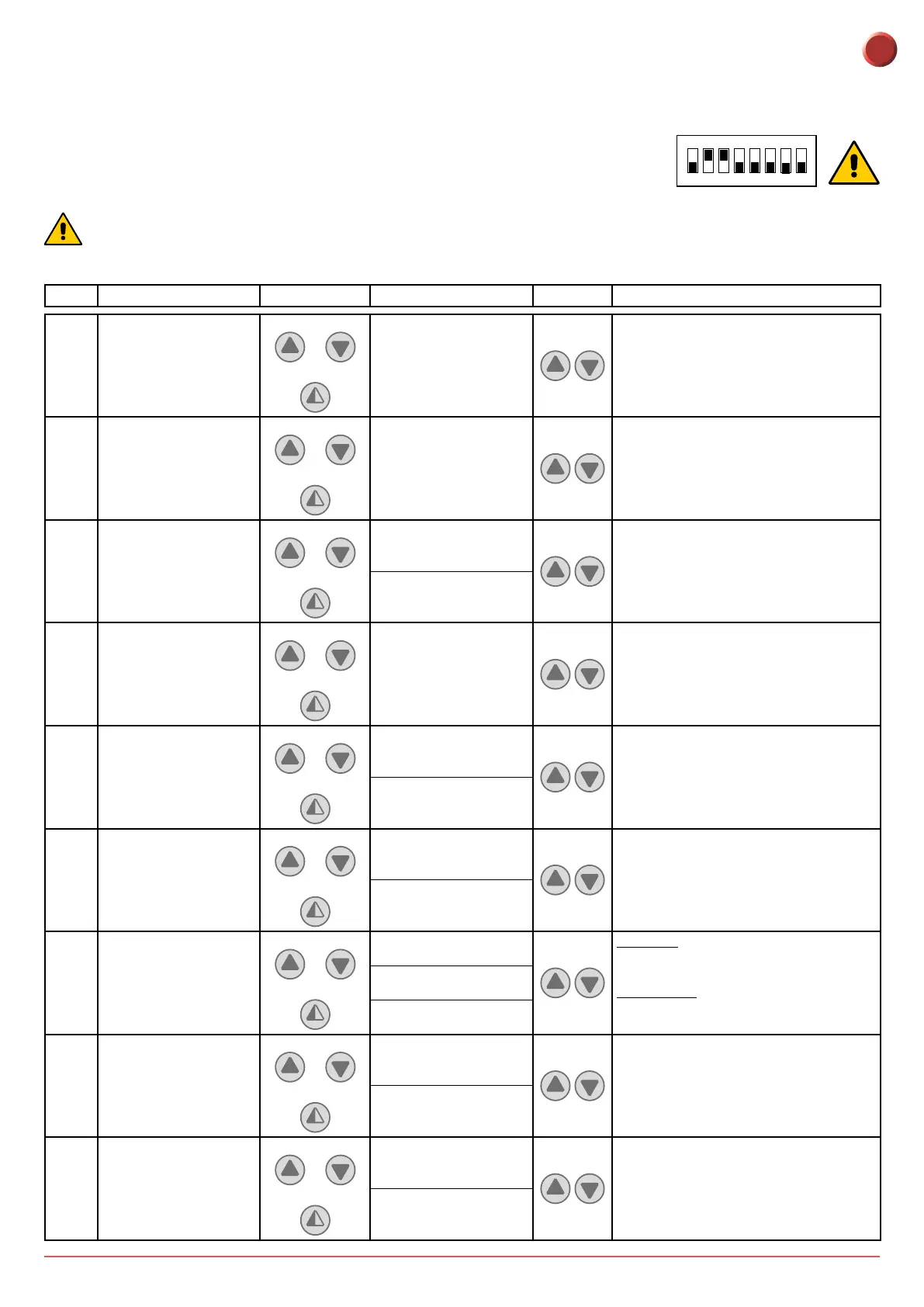
6.2 ADVANCED MENU
The advanced menu allows you to modify the position of the limit switches which have previously been set
and modify the set default parameters.
To access the Advanced Menu:
- STOP the door
- Set DIP 2 to ON
“LIM. SWITCH CAL.”, the rst item in the advanced menu, will appear on the display.
1 2 3 4 5 6 7 8
ON
ONCE PROGRAMMING HAS ENDED, SET DIP2 TO OFF
EN



 To Next Page