8.1.1. Rotor installation and replacement
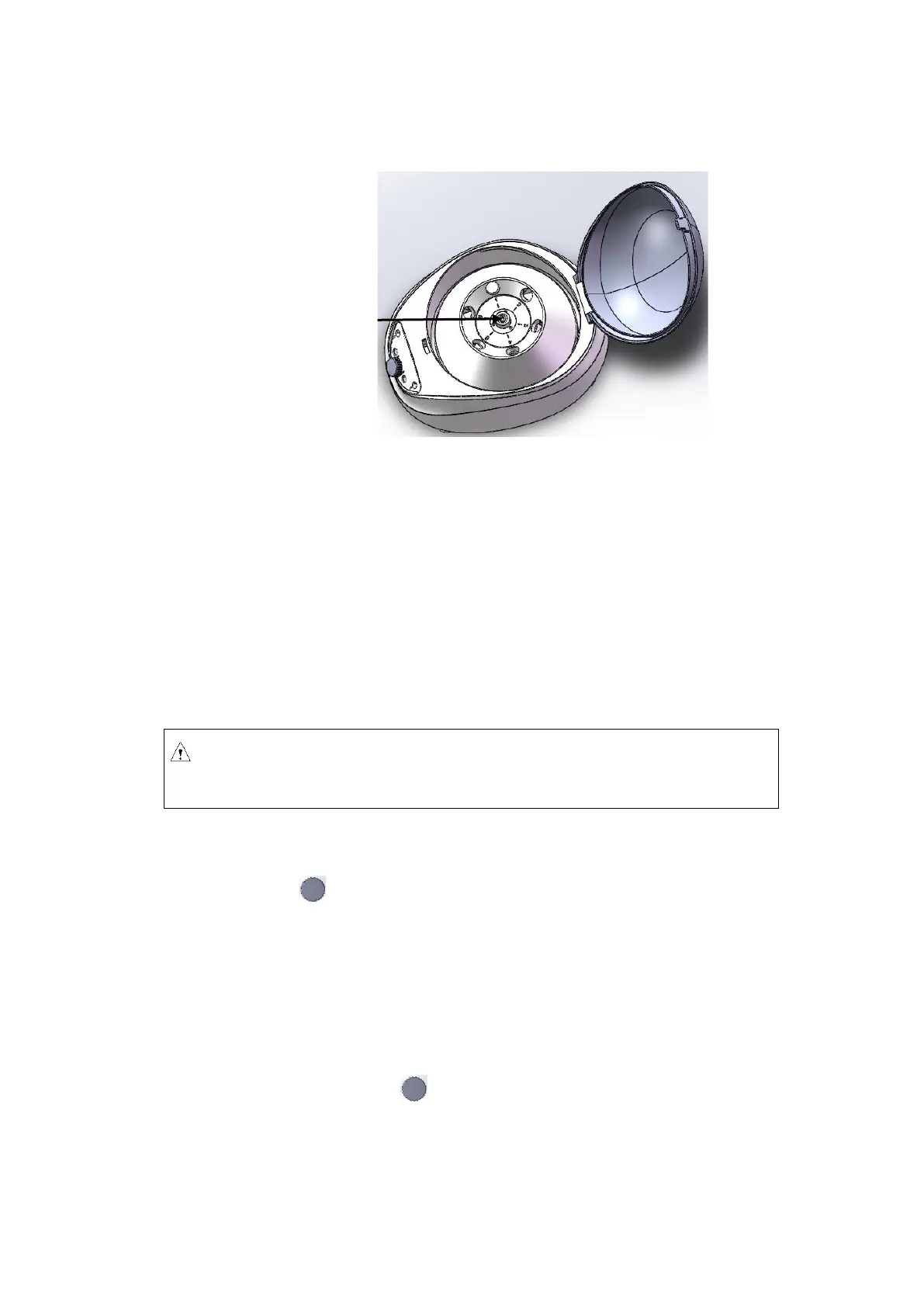
Figure 8.2 Rotor installation
◼ When placing the rotor, ensure the full contact between the rotor and the motor shaft.
◼ After placing the rotor in place, rotate the rotor gently with hands to check for normal operation
of the rotor. Check and adjust the rotor position once again.
◼ Hold the rotor with one hand, and rotate the locking nut clockwise using the rotor wrench with
the other hand. Tighten the rotor and main shaft firmly.
◼ Close the lid and run the centrifuge.
◼ Dismantle the rotor in a similar manner with opposite rotating direction (counterclockwise).
8.1.2. Set operating parameters
The parameter knob is used to adjust the parameter settings. Press the knob gently to select the
setting, make it blinking on the display and ready to be adjusted. Rotate the knob clockwise to increase
and counterclockwise to decrease the parameter. Rotate the knob quicker to adjust the parameter more
dramatically. The minimum rotation speed increment is 10rpm, the minimum RCF increment is 10g and
the minimum timer increment is 1 second.
(1) Set the rotation speed
◼ Press the parameter knob to choose the rotation speed parameter value in rpm. The
speed parameter should blink on the display.
◼ Rotate the know to adjust the rotation speed value to desired setting.
◼ The minimum speed is 300rpm, and the minimum increment is 10rpm.



 To Next Page