CAUTION
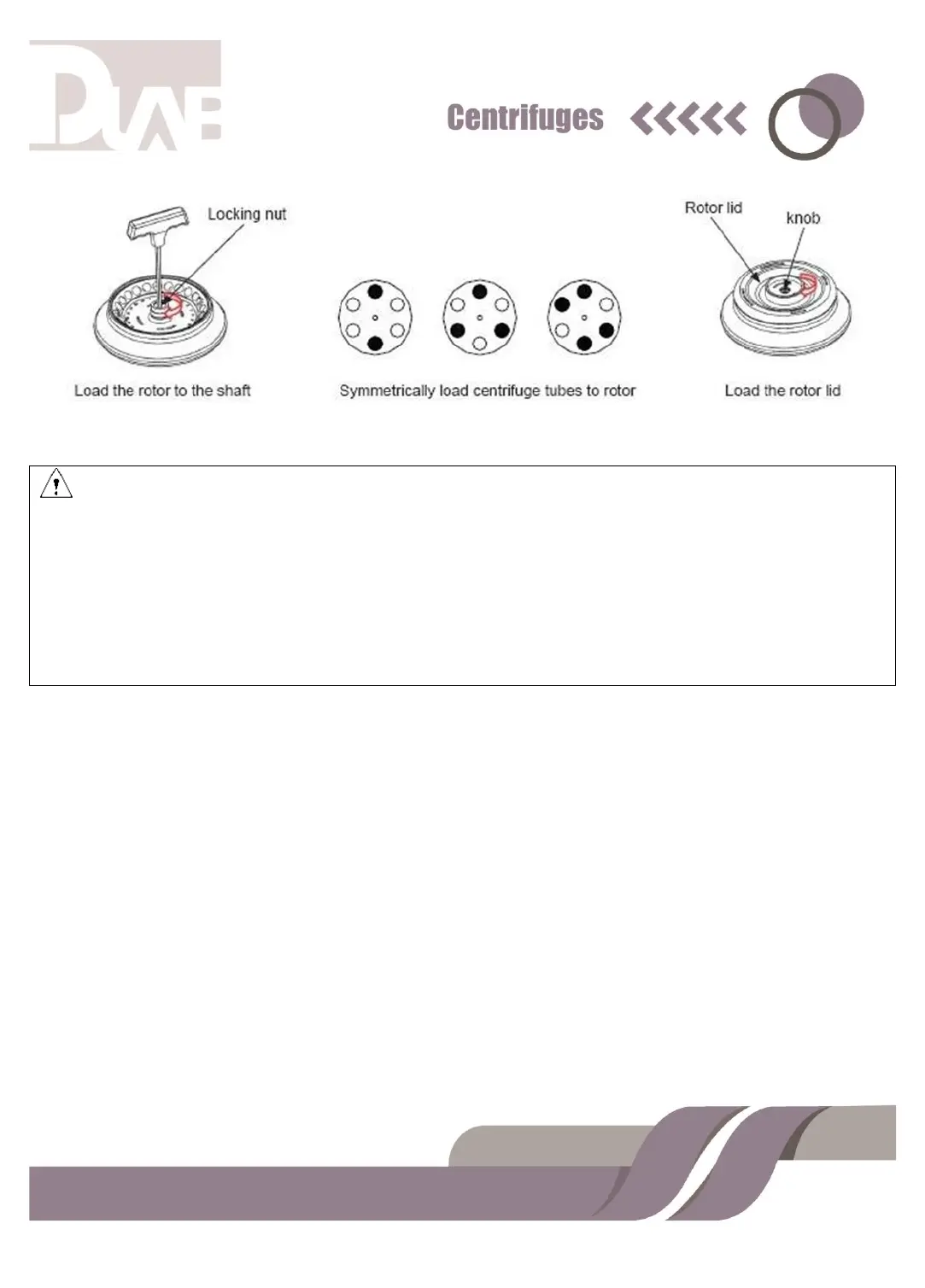
⚫ Attach the rotor to the rotor shaft. Ensure the rotor is in position and connected
with the shaft, tightening the locking nut to secure the rotor with shaft, to
prevent the rotor damaging the centrifuge.
⚫ Ensure the rotor lid is firmly tightened to the rotor.
⚫ Load the rotor to shaft to ensure rotor is in position until it connected with the
shaft.
⚫ You should feel a „click‟ when the rotor is properly loaded to the shaft. If not,
there may be something USER MANUAL 10 stuck between the rotor and the
shaft. Double check and clean it if necessary.
⚫ Rotate the rotor slightly with your fingers to check if the rotor vibrates. If so
reinstall the rotor again.
⚫ Rotate the nut clockwise using the wrench to tighten the rotor to the shaft firmly.


 To Next Page