DOD Technologies, INC • 675 Industrial Dr. Bldg. A • Cary, IL 60013 • Phone (815) 788-5200 • Fax (815) 788-5300
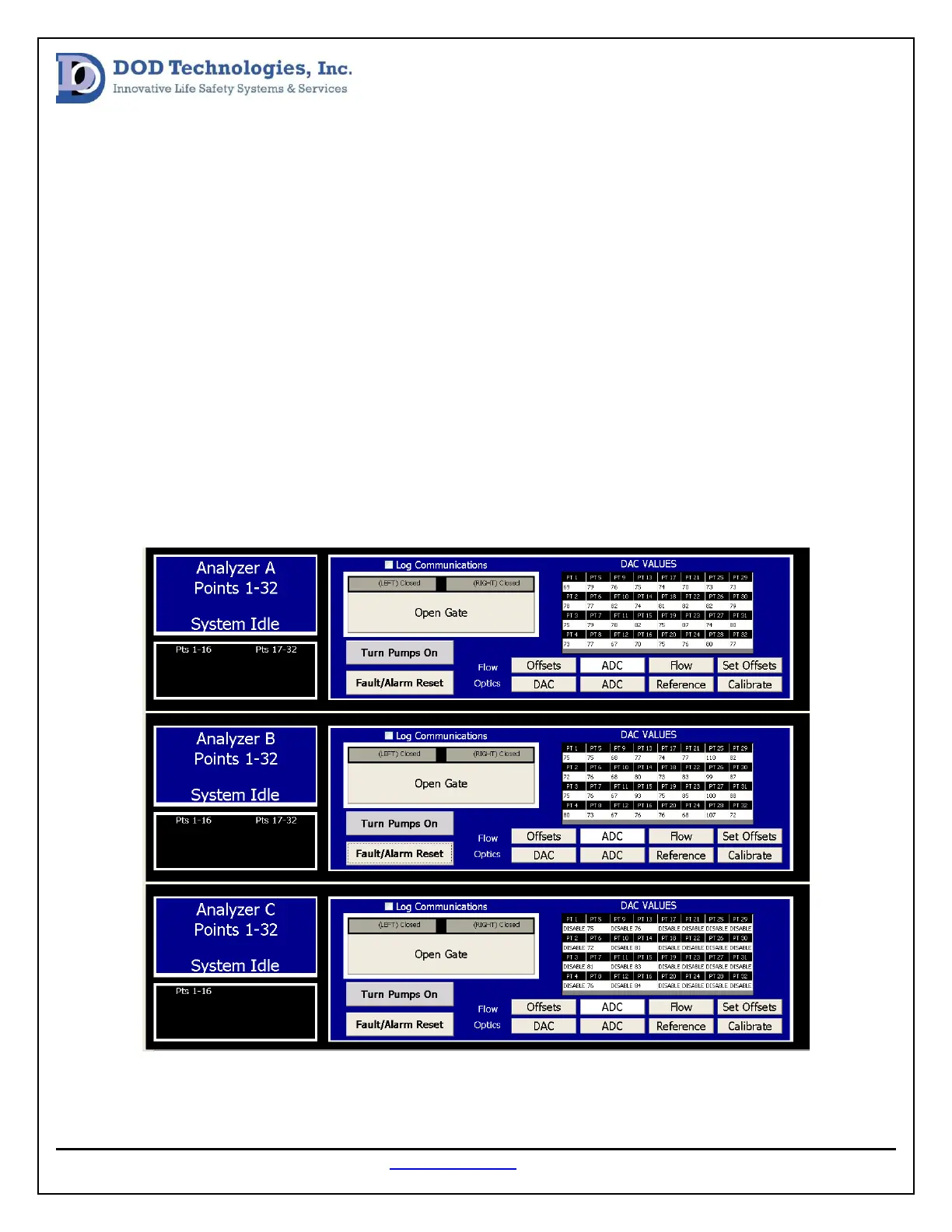
If there is a DAC value outside of the suggested range, verify the Chemlogic cassette is installed correctly
and press calibrate. If the DAC is still outside the suggested range refer to the CL96 Optic Cleaning
Procedure.
Background Verification:
The background value for each point can be found in the system screen by following the steps below. If
any of the background values are not between 2600 and 3300 the optics should be calibrated by
pressing the calibrate button.
1. Enter Setup menu
2. Enter Factory menu
3. Enter password “1225”
4. Select the System tab
5. Press the ADC button for any active analyzer (see image below)


 To Next Page