DOD Technologies, INC • 675 Industrial Dr. Bldg. A • Cary, IL 60013 • Phone (815) 788-5200 • Fax (815) 788-5300
Point Flow Check with Flowmeter:
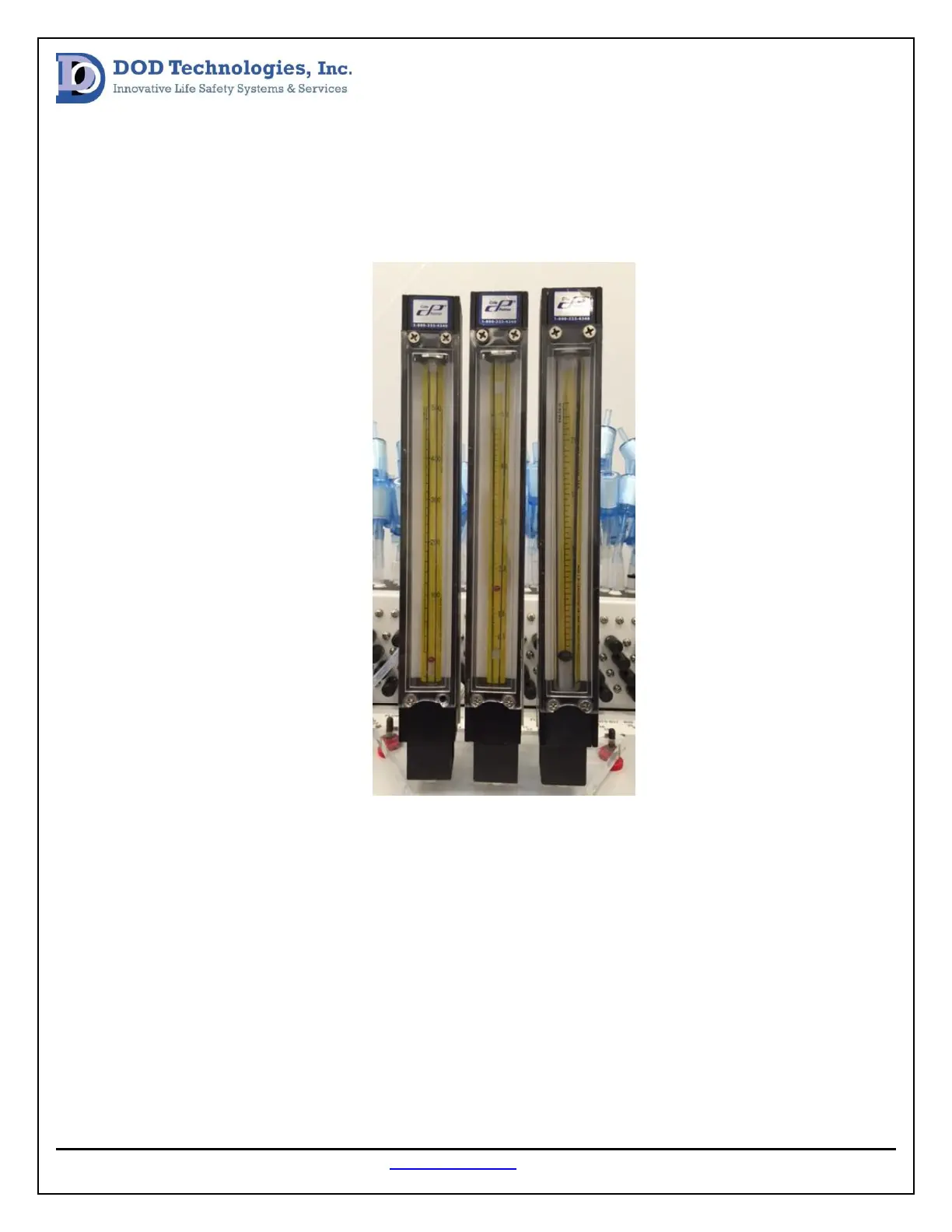
After the flow system is balanced an additional flow check can be done at the inlet of each point using a
flowmeter. Each point should be sampling at a flow rate between 1.2 and 1.5 LPM (liters per minute)
and this can be measured with a 0-5 LPM flowmeter as show in the center below.
Exhaust Integrity Check:
The exhaust line for each pump should be checked periodically to verify the unit is exhausting correctly.
This check can be done by going to the Adjust Flow screen in the Setup Menu. In this screen each pump
can be turned on individually by selecting the points that are related to that pump. (See chart below to
determine which points are related to which points.) When the pump is turned on in this screen all
related point should be balanced near the black line in the green region. Now locate the exhaust port for
the related pump on the side of the CL96 (see image below) and plug it. When the exhaust port is
plugged, all points should drop to the bottom of the scale in the yellow region. If the onscreen
flowmeter does not drop to the bottom of the scale remove the CL96 rear panel and check for leaks
between the exhaust port on the side of the cabinet and the exhaust port on the related pump.


 To Next Page