DOD Technologies, INC • 675 Industrial Dr. Bldg. A • Cary, IL 60013 • Phone (815) 788-5200 • Fax (815) 788-5300
System Flow Balance:
After all voltage offsets are verified to be within range, the entire system can now be flow balanced. To
flow balance the system follow these steps:
1. Enter the Setup Menu
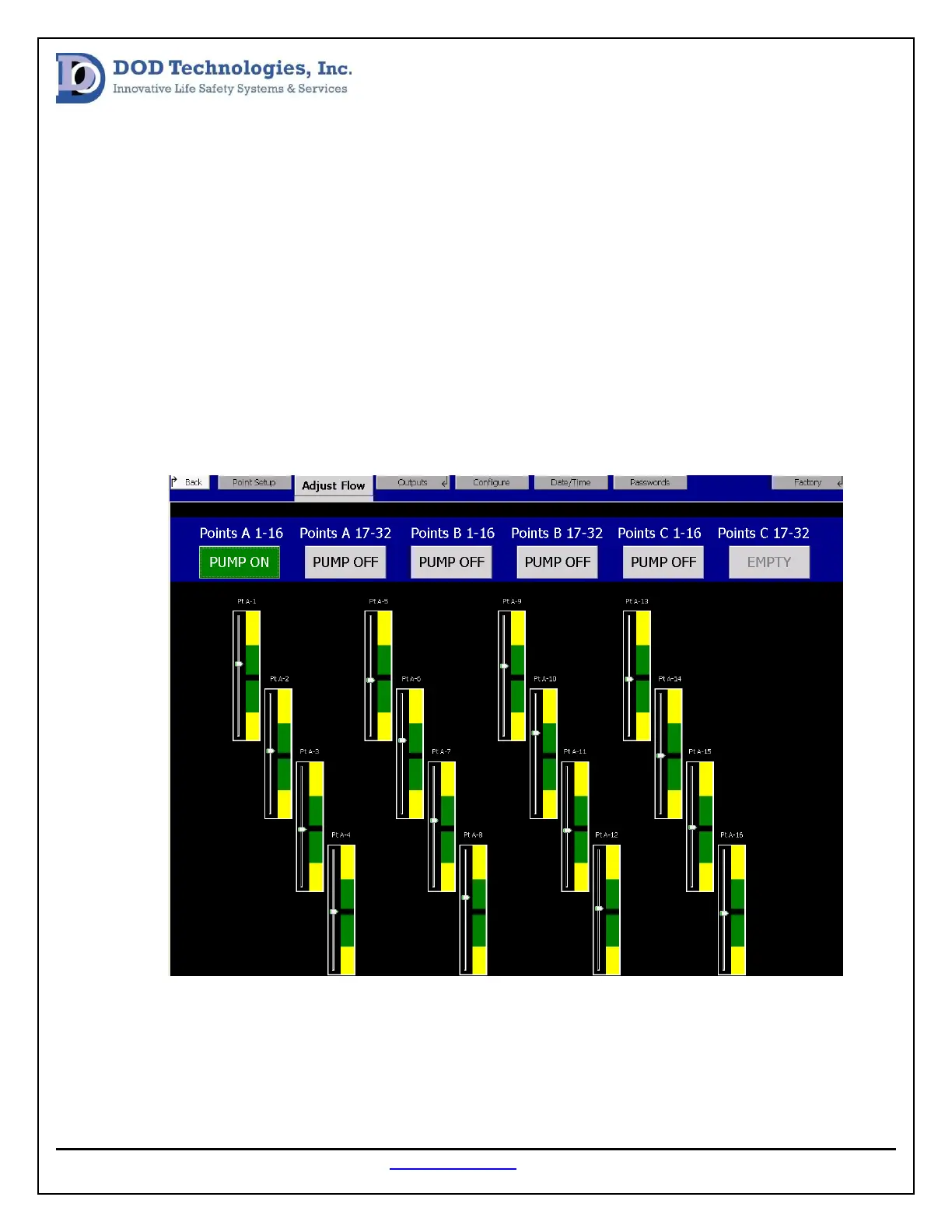
2. Select the Adjust Flow tab
3. Select the point grouping that needs to be balanced (see image below)
4. Any point that is not balanced to the black line in the green region should be adjusted.
5. Locate the Point Arrangement Label on the top of the Cl96 enclosure near the inlet manifold.
6. Use the black knobs to adjust and balance inlet flow on each point.


 To Next Page