Playing media MC402
32
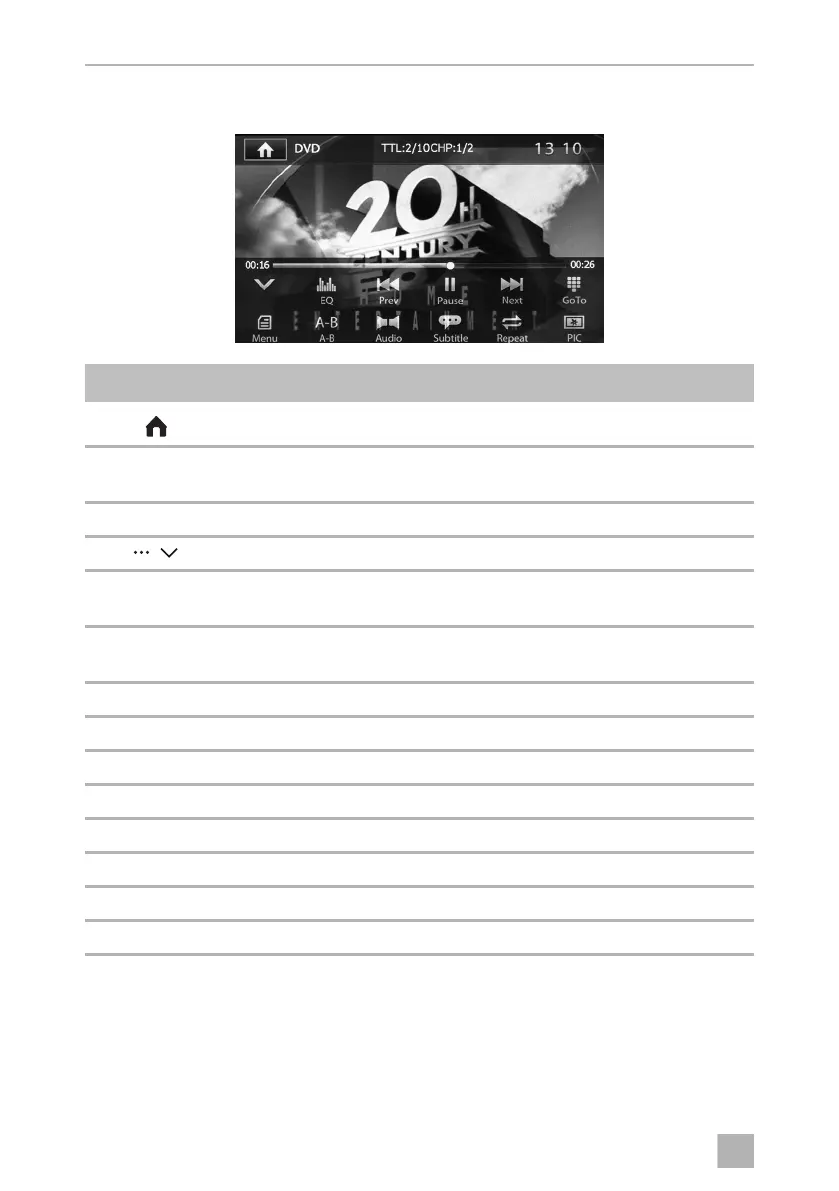
DVD menu
Symbol Description
Displays the SOURCE menu
TTL:2/10
CHP:1/2
Current title/chapter number
13:10 Current time
/ Open/close menu
Prev/
Next
Select track
Play/
Pause
Starts/interrupts playback
EQ Set equaliser
Goto Enters a desired track
Menu Opens the DVD main menu
A–B Repeats from A – B of a title
Audio Selects language
Subtitle Displays subtitles
Repeat Replays track
PIC For setting brightness, contrast and saturation
MC402-IO-EN.book Seite 32 Montag, 21. November 2016 6:14 18



 To Next Page