System settings MC402
56
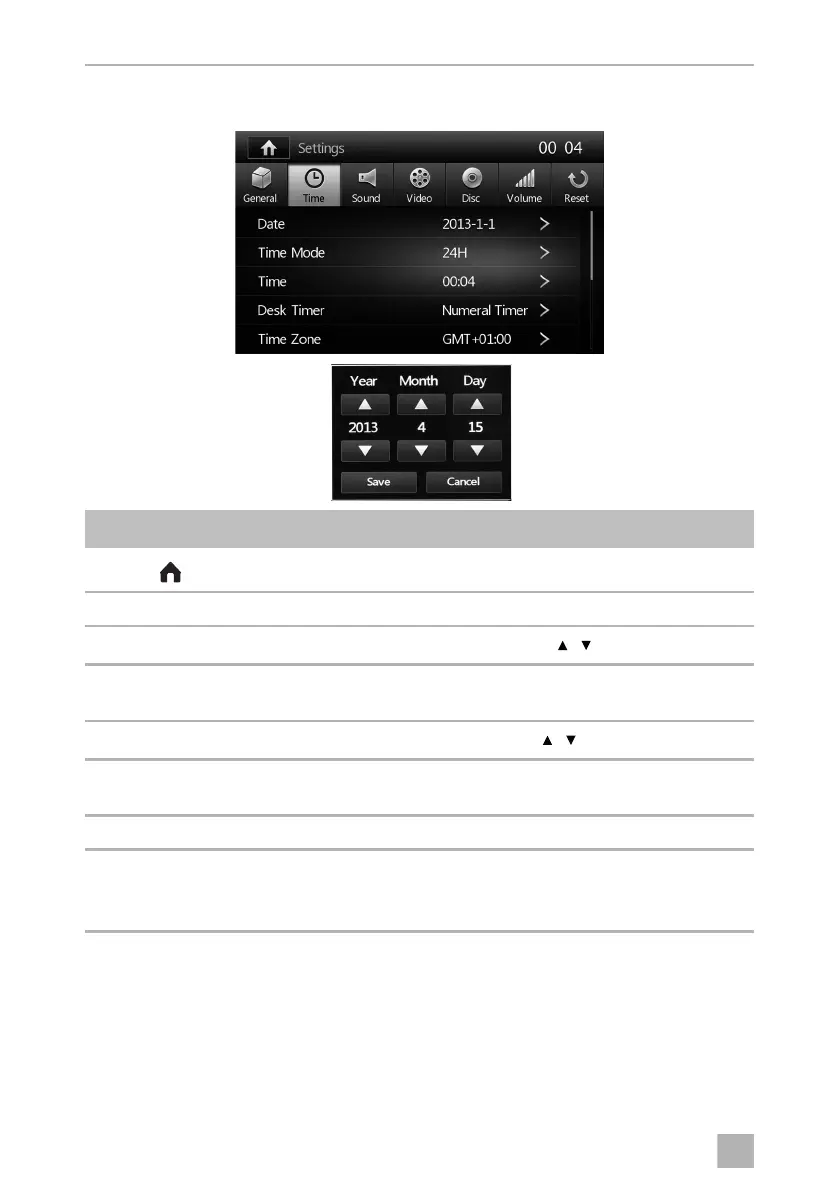
12.4 Time settings menu
Symbol Description
Displays the SOURCE menu
00:04 Current time
Date
➤ Set the day, month and year with the button.
Time Mode ➤ Set the format for the time display
12 hour (12H) or 24 hours (24H) display.
Time
➤ Set the hours and minutes with the button.
Desk Timer ➤ Set the time display to Simulate Timer (analogue clock) or
Numeral Timer (digital clock).
Time zone ➤ Set the required time zone
Power Off Timer ➤ Set the Power Off display to ON or OFF.
When ON is selected, the time will be displayed when the device is
switched off.
/
/
MC402-IO-EN.book Seite 56 Montag, 21. November 2016 6:14 18



 To Next Page