MC402 System settings
57
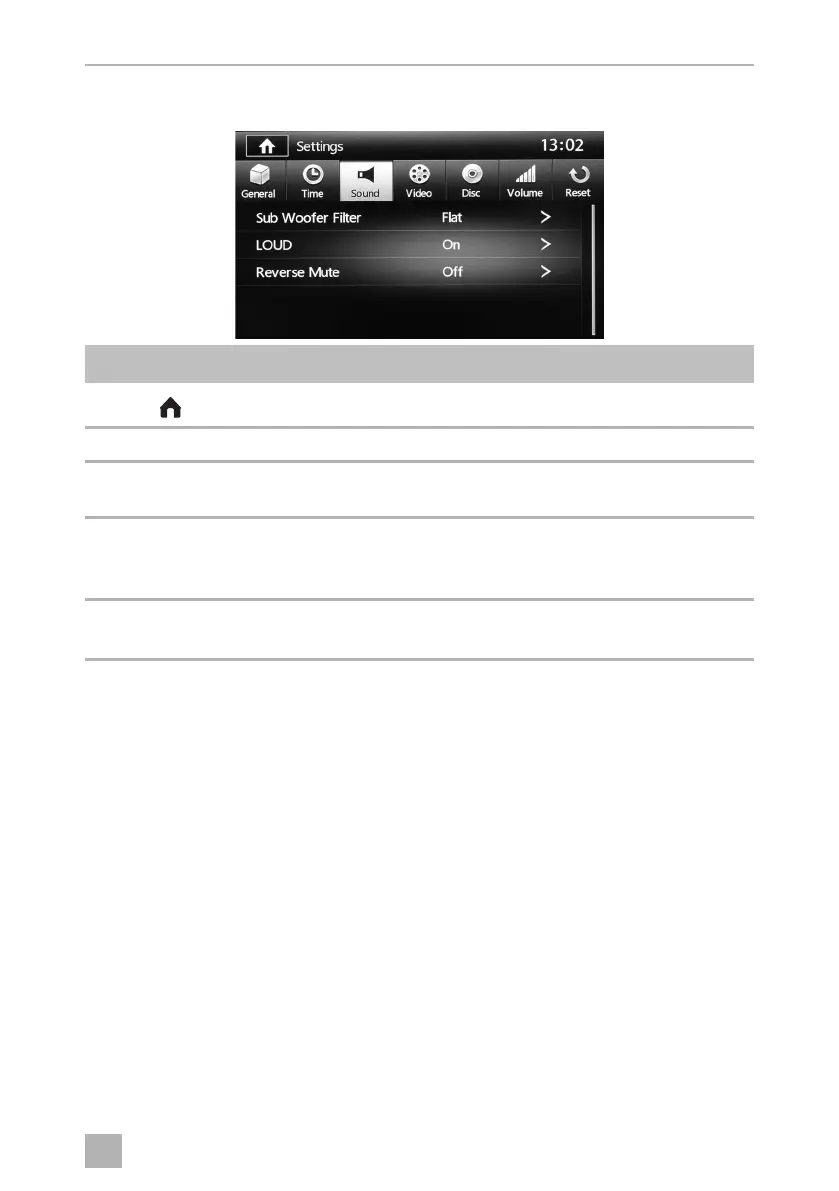
12.5 Sound settings menu
Symbol Description
Displays the SOURCE menu
13:02 Current time
Sub Woofer Filter ➤ Set the crossover frequency of the subwoofers to Flat, 80 Hz,
120 Hz or 160 Hz.
Loud ➤ Set the loud function to ON or OFF.
When ON is selected, the bass and treble frequencies will be
increased at lower volumes.
Reverse Mute ➤ Set the reverse mute function to ON or OFF.
The sound will be muted when the reverse gear is engaged.
MC402-IO-EN.book Seite 57 Montag, 21. November 2016 6:14 18



 To Next Page