Using Bluetooth devices MC402
46
11.1 Menus
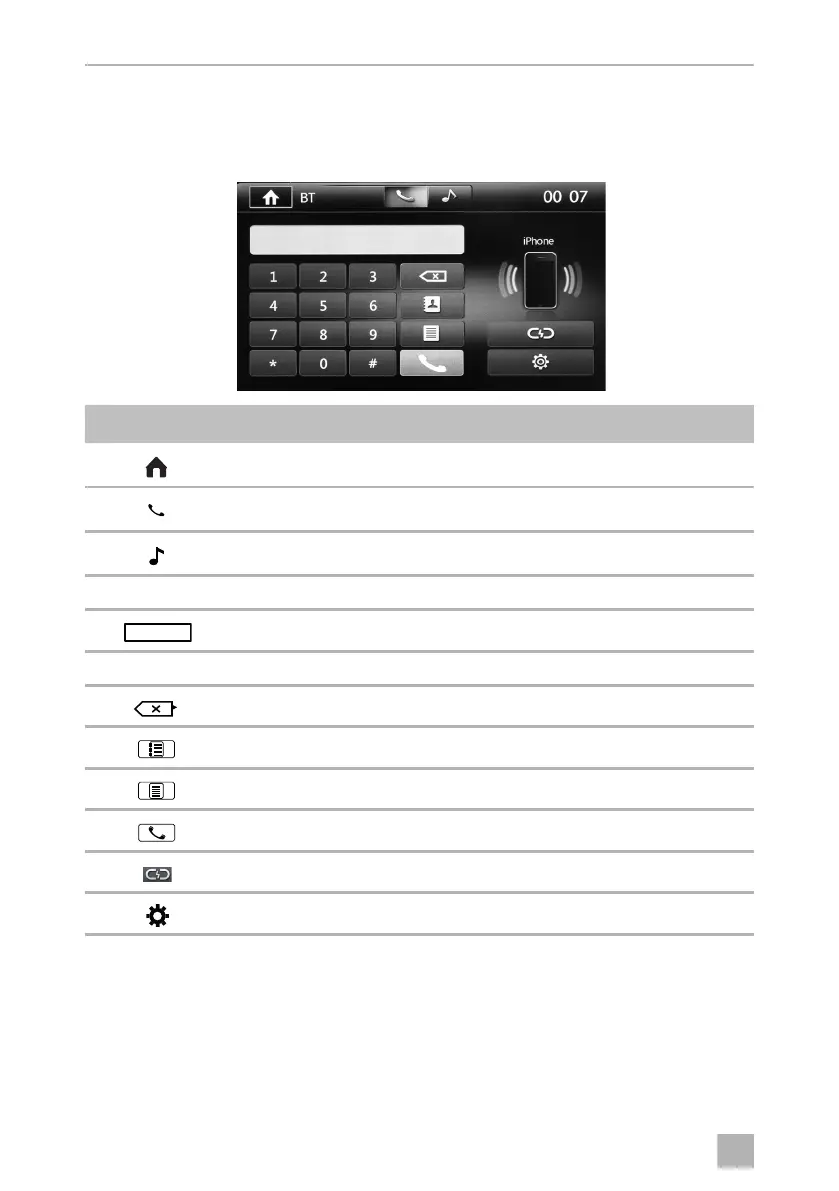
Te l e p h o ne m e n u
Symbol Description
Displays the SOURCE menu
Using the telephone function
Using the audio player function
00:07 Current time
Input screen
0 –9, #, * Numeric keypad
Deletes numbers
Displays phone book
Displays call lists
Starts the dialling process
Breaks the Bluetooth connection
Telephone settings
/
/
MC402-IO-EN.book Seite 46 Montag, 21. November 2016 6:14 18



 To Next Page