33
EN
RV So Start Accessory Installation
8.4.4 Placing the device
ww
rr
q
ee
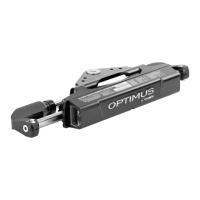
58 Device placed on mounting studs
q
Compressor
e
LEDs on device
w
Condenser fan
r
Mounting nut
1. Place the supply side of the device towards the
compressor.
I
The two LEDs visible on the outside cover of
the device are located on the supply side of the
device.
2. Place the device onto the motor mounting studs.
I
Ensure that the device shis away from the
condenser fan blade.
3. Reinstall the mounting nuts and tighten until snug.
8.4.5 Locate the capacitor
qq
59 Capacitor location
q
Capacitor
1. Locate the capacitor.
2. Remove the lid.
8.4.6 Attaching the AC pigtail
ww
qq
60 Supply harness and AC pigtail
q
Supply harness
w
AC pigtail
1. Retrieve the supply harness from the installation kit.
I
The supply harness can be identified by the two
6-pin connectors.



 To Next Page
 Loading...