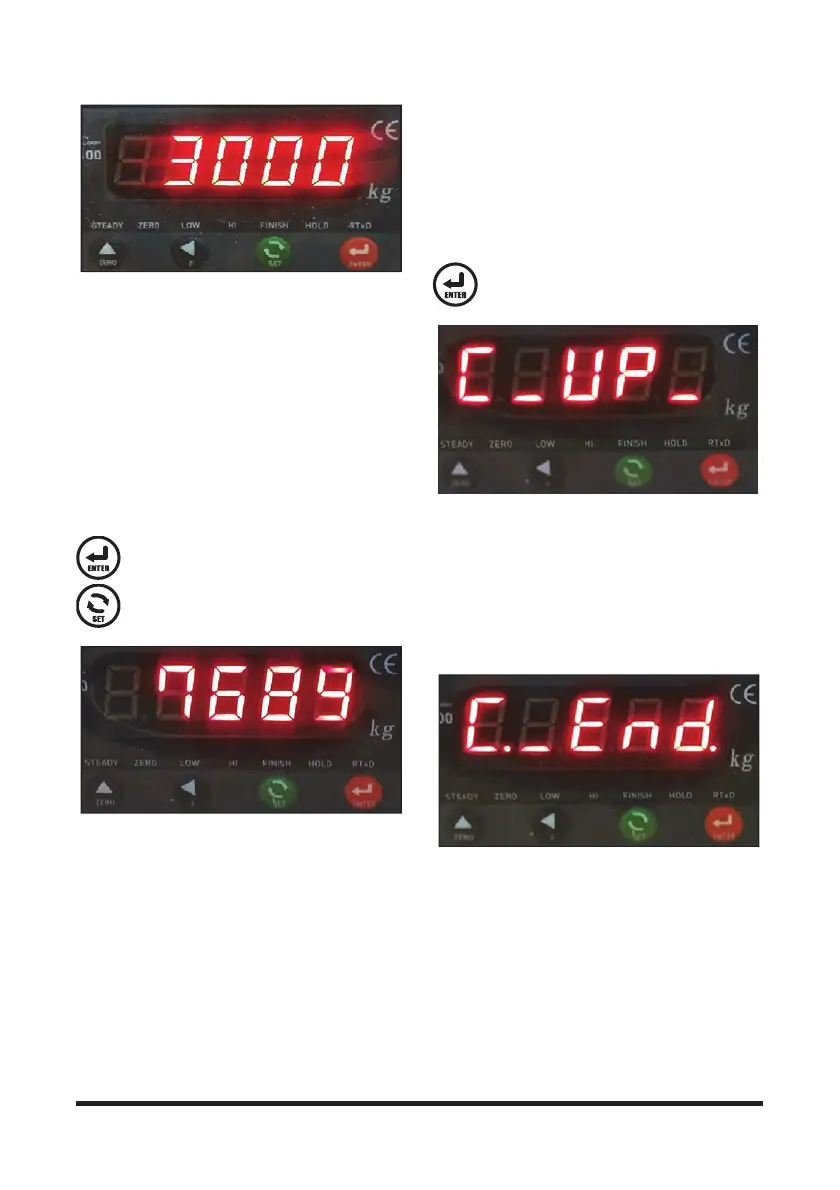
Operation Section
-71-
NOTE: After the initial setting, if the load weight is
measured with an error, you must adjust this
value.
Example: If you have inputted 3,000 kg but
the actual load weighs 2,900 kg, adjust the
reference load value to 2,900 kg; if the load
weighs 3,100 kg, adjust the value to 3,100 kg.
5. Zero Adjustment
This step is to set the weight condition of the vehicle's
unloaded front end to zero. Keeping the mast
unloaded, raise it approx. 300 mm from the ground
just vertically.
Press this key to save the set value and
proceed the subsequent step.
Press this key to move to the previous step.
6. Reference Load Lift
Put a reference load that weighs as much as the set
value on the attachment (e.g. forks).
You should align the centers of gravity of the
attachment and of the reference load.
Raise the mast approx. 300 mm from the ground
vertically.
Once the vehicle's vibration ends after lifting the load,
press the Enter key.
Press this key.
7. Finishing Calibration
Once you have done all the steps above, a certain
figure appears along with a blinking message
"C._End" on the display for a while, and then the
weight scale mode resumes."
Initial settings for the load cell has been finished.
Use this device after fully lowering the load for the
indicator to display 0 kg.



 To Next Page