Operation Section
-83-
Multi-torque
ECO: Fuel economy operation mode.
STANDARD: Ordinary operation mode.
HIGH: Heavy duty operation mode.
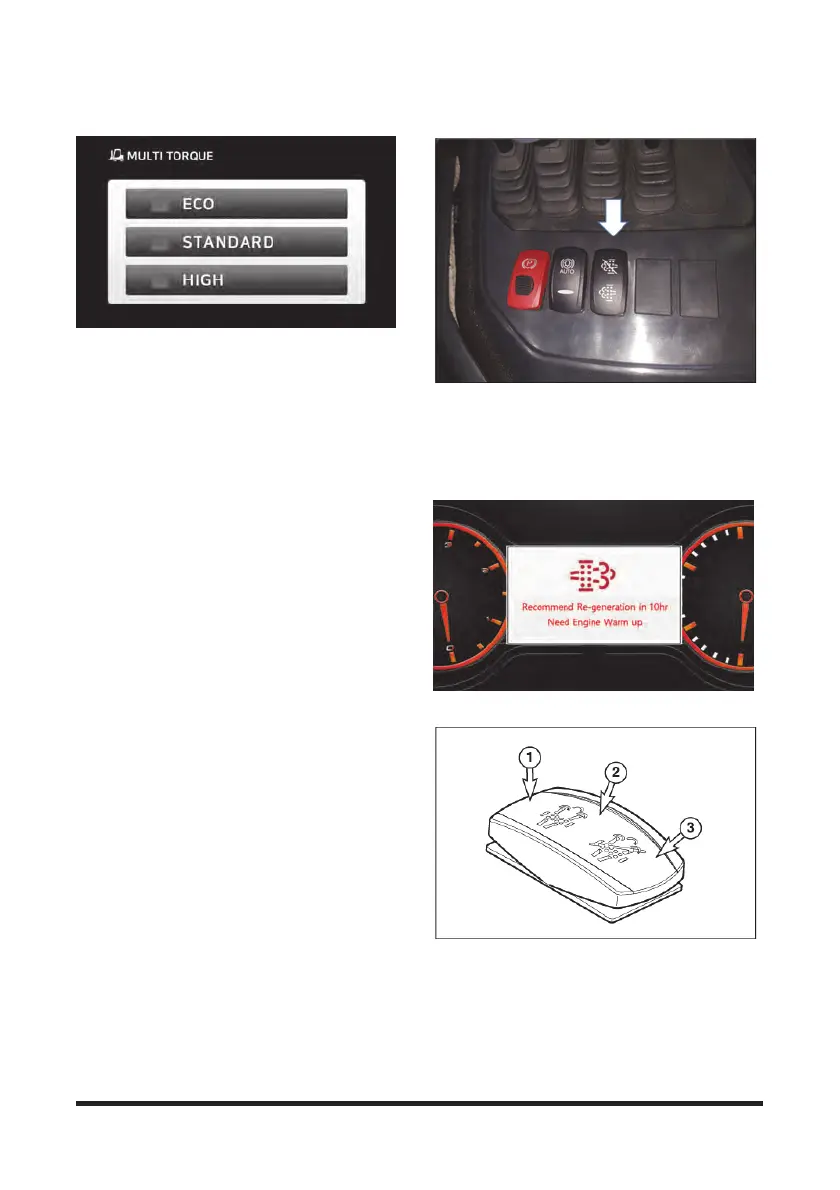
The above figure shows the multi torque screen on
the display. For setting, refer to the following:
Operation Section - Operator Seat and Various
Instruments/Devices - Menu - Vehicle - Option
Setting - Multi Torque.
“S” means "Standard Mode" in the specifications. “E”
means "Economy Mode" in which maximum engine
speed is reduced by 100 ~ 200 rpm together with
reduced maximum torque and output power.
“H” means “High Speed Mode”, in which the
maximum engine speed increases by 90 ~ 100 rpm
together with reduced maximum torque and output
power. For changes of the maximum torque and
output power values in the "E" and “H” modes, refer
to the service manual.
SCR Cleaning - DeSOx Switch
This switch initiates regular regeneration process of the
post-treatment device.
1. A pop-up on the SCR Display warns the operator to
perform SCR Cleaning. (3 warnings: at 10 hrs
remaining, 5 hrs remaining, Immediate)
Exemplary warning – 10 hrs remaining
2. Press this switch and release it after 3 sec, SCR
Cleaning will be started and the engine speed will be
increased. Screen pop-up provides information on
the warning up and cleaning process.



 To Next Page