Operation Section
-86-
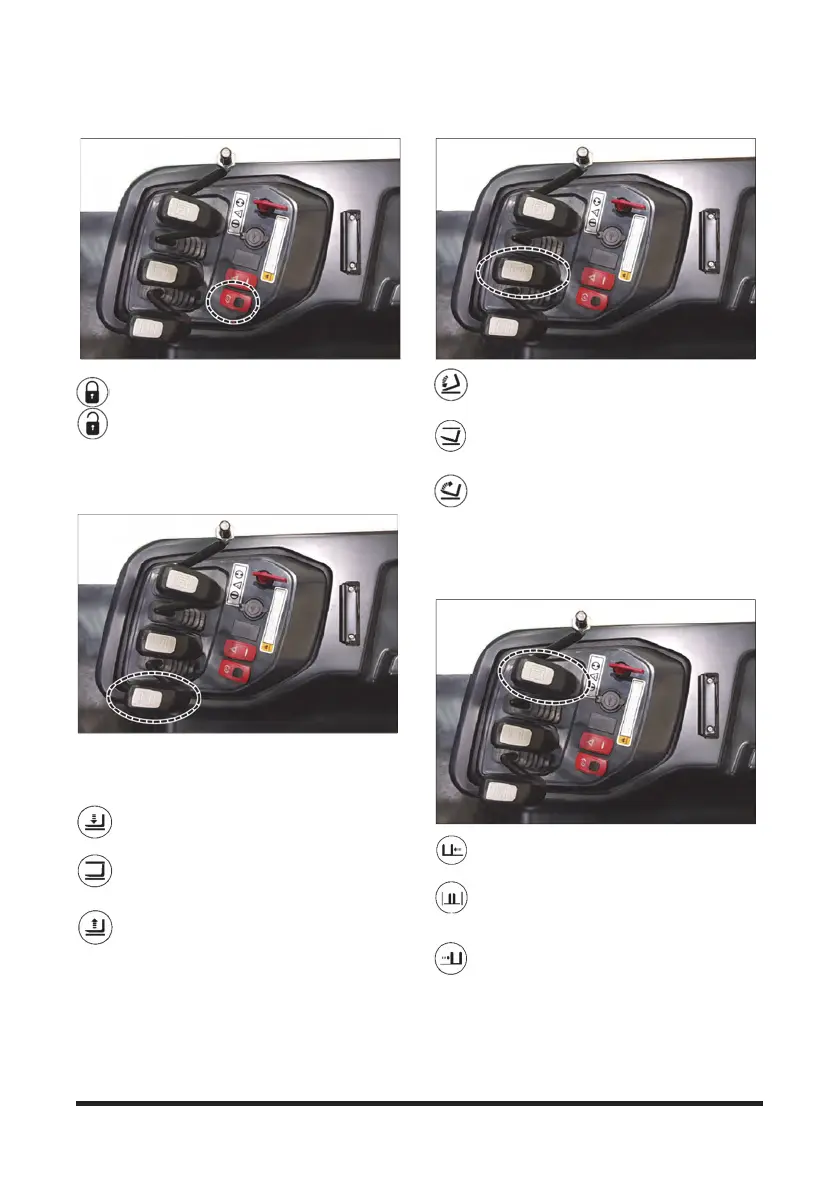
Parking Brake Switch
Push the front side of the parking brake switch to
engage the brake.
Pushe the rear side of the parking brake switch
to engage the brake.
Lift Control
NOTE: To prevent a sudden change of position of the
load, operate all lift, tilt and attachment controls
smoothly.
1. Lower Position - Push the lever FORWARD
smoothly to lower the load.
2. Hold Position - When the lever is released it
will return to the HOLD or center position. Lifting
or lowering action will stop.
3. Lift Position - Pull the lever BACK smoothly
to lift the load.
Tilt Control
1. Mast Tilt Forward - Push the lever
FORWARD smoothly to tilt the mast forward.
2. Mast Hold - When the lever is released it will
return to the HOLD or center position. Tilting
action will stop.
3. Mast Tilt Back - Pull the lever BACK smoothly
to tilt the mast backward.
Sideshift Attachment Control (If
Equipped)
1. Sideshift Left - Push the lever FORWARD to
shift the carriage to the left.
2. Sideshift Hold - When the lever is released it
will return to the HOLD or center position.
Sideshifting action will stop.
3. Sideshift Right - Pull the lever BACK to shift
the carriage to the right.



 To Next Page