dormakaba USA Inc. System User Guide 7040.0320 | 10
2.2.9 Power Considerations
The system common power across all components. As long as 9V DC power is supplied to the system, the system will work as
intended. It is unnecessary to apply multiple sources of power to some or all components.
Some considerations to follow:
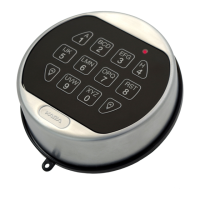
• In the normal-profile Keypad, 2.9V batteries can be inserted into the tray
• In the low-profile Keypad, there is a connection for an emergency battery connection for application outside of the safe
container
• A LA GARD 700 Series Battery Box accessory is available to be attached inside the secure container to grant power to the
system
• A LA GARD 700 Series Alarm Box can be connected to the primary lock to provide power to the system. This Alarm Box must
be physically located in the secure side of the container
• A LA GARD 700 Series AC/DC Power Adaptor accessory can be used to apply line power to the system. The power adapter can
be connected to any lock’s BAT port in a multi-lock configuration
• In multi-lock installations while using a Multiplexer, it is strongly recommended that the AC/DC Power Adaptor be used
• When resetting a lock via the LA GARD Series 700 Reset Box, a 9V battery must be inserted into the Reset Box to apply power
for the short duration usage
2.3 Getting Started
This section outlines typical use of a System with a single or multi-lock/single or multi-user setup with references to various sections
found through this document.
Follow these steps to get started implementing a System:
1. Review Section 2.2 System Components for installation procedures regarding each component of a System. For single lock
Systems, the use of a Multiplexer is not required.
2. Review section 3.9 Locks for information on installing, uninstalling and resetting safe locks.
3. Read section 3.7.2 Add User to add all non-Master users, including Managers.
4. Read section 3.2 Open a Lock for instructions on how to use the System once all pieces are connected.



 To Next Page