dormakaba USA Inc. System User Guide 7040.0320 | 31
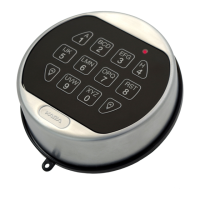
3.9.7.2 Duress Mode – Non-Display Keypad
Note: This function is not available on the 701 model of Keypad.
Follow these steps to Enable/Disable Duress Mode on a non-Display Keypad:
1. Using the Keypad, input #14 + Master ID and Combination + Duress Mode (0 = Disabled, 1 = Enabled) + Return Key.
2. The Keypad will beep three times and flash a green LED once complete.
3.10 Locks
Certain functions and commands can be carried out on the Keypad without the use of software. Entries without a display screen can
only have one safe lock installed at a time; they do not support a multi-lock setup.
3.10.1 Install a Lock
The process of installing a safe lock differs with single and multi-lock systems. For information and steps on how to physically install
a safe lock(s) to a system, whether single or multi-lock setup, refer to the Safe Lock Installation Guide (Document #7034.0320).
3.10.2 Uninstall a Lock
3.10.2.1 Uninstall a Lock – Display Keypad
Follow these steps to Uninstall a safe lock on a Display Keypad:
1. Navigate through the Main Menu and select System.
2. Select Locks from the sub-menu.
3. Select Uninstall.
4. Press the corresponding number key to select a lock.
Note: If only a single lock is installed, this screen will not appear.
5. Select either Yes or No to confirm.
Note: Confirmation is only required when uninstalling the last (primary) lock.
6. Success Uninstalled appears on screen and the Keypad will beep three times and flash a green LED once complete.
Note: Lock #1 cannot be uninstalled until all other locks are uninstalled or reset.
3.10.2.2 Uninstall a Lock – Non-Display Keypad
Follow these steps to Uninstall a safe lock on a non-Display Keypad:
1. Using the Keypad, input #23 + Master ID and Combination + Return Key.
2. The Keypad will beep three times and flash a green LED once complete.
3.10.3 Reset a Lock
Each LA GARD safe lock can be reset to factory defaults. This function is particularly useful when switching out a piece of the overall
System that has a different model number than the previous version. A lock reset can be done one of two ways:
1. Master Reset via the Keypad (both Display and Non-Display versions)
2. Mechanical Reset via the Reset Box.
When a lock is reset, the Master Combination is reverted to the default (1-2-3-4-5-6-7-8) and all Managers/Users are deleted. All
System and lock settings will be reset to their defaults. All locks will be uninstalled and unpaired to any Keypad.
Two items will not be deleted:



 To Next Page