dormakaba USA Inc. System User Guide 7040.0320 | 16
3.3 Open a Lock
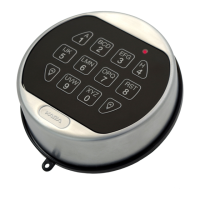
3.3.1 Open a Lock – Display Keypad
Follow these steps to open a safe lock on a Display Keypad:
1. Enter the User ID.
2. Enter the User Combination.
3. If required, present and click the button on the user fob when requested.
4. If required, enter User #2 credentials.
5. If this is the user’s first time opening a lock, the Keypad display interface will ask the User to change their original
combination. Input a new combination with the keypad. Re-enter the same combination to confirm.
Note: The new Combination must be different from the old Combination. The User is advised to use a non-trivial combination.
6. The lock’s latch will open and the screen will display Lock Open. After 3 seconds, the lock’s latch will close.
If Time Delay is in effect, menus will be different. Consult the Time Delay section in this document for more information.
3.3.2 Open a Lock – Non-Display Keypad
Follow these steps to open a safe lock on a non-Display Keypad:
1. Enter the User ID and Combination.
2. If this is the User’s first time opening a lock, the Keypad will require a new Combination. Using the Keypad keypad, input #52 +
Authorized User ID and Combination + User ID and new Combination + User ID and new Combination again + Return Key.
3. The lock’s latch will open. After 3 seconds, the lock’s latch will close.
If Time Delay is in effect, the lock will not automatically open.
3.3.3 Open a Lock – Remote Disable
With the application of the Alarm Box, the opening sequence can be disabled by asserting a signal on the Alarm Box. The signal may
come from an external alarming system that could feed into this lock to prevent it from opening.
Please observe the following while using the Remote Disable:
• The Remote Disable assertion will not block users from accessing the menus on a Display Keypad
• The signal must be asserted prior to the user authentication for it to be recognized by the system
• Duress combinations will still trigger the alarm signal, even if Remote Disable is asserted
• An Keypad with a display will show ‘Lock #x NOT open’ when the Remove Disable is asserted. The ‘x’ would be replaced by a
lock that is targeted to be opened



 To Next Page