dormakaba USA Inc. System User Guide 7040.0320 | 38
o Cancel TD
▪ the User is prompted to select the Lock which should have Time Delay cancelled. Only locks with Time
Delay active can be selected. The selected Lock will have Time Delay cancelled. The Keypad returns to
the Time Delay Menu
o FOB Override
▪ only available if the Keypad has the BLE option AND user accessing the Time Delay menu has open
privileges
▪ the User is prompted to select a lock. Only shows locks which:
• The User who logged on to show the Time Delay has Open permission AND has Time Delay active
AND allows for Time Delay Override
▪ prompts the User to present the FOB to override the Time Delay
• If the FOB is authorized to override the Time Delay, the lock will open
Note: Rules for number and types of Users and Credentials apply when accessing the Time Delay Menu.
3.12 Battery Levels
On a Keypad with a display screen, a battery level indicator is located at the bottom-right of the screen. The battery level indicator
shows 5 levels of battery power. Additionally, on a Display Keypad, indications will be made when the battery level reaches low level
and again when it reaches the critical low level.
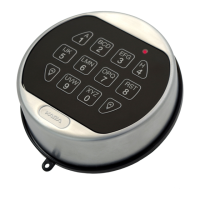
On a non-display Keypad, the Buzzer and LED indicates the battery level. If the Buzzer Mode is Off, there will be no sound
indications. The LA GARD Software client reports battery levels in Entries and Locks with an Audit transaction.
Note: If the Keypad is using an AC Adapter, then the battery level indicator will always be at high.
3.12.1 Low Battery Warning
3.12.1.1 Low Battery Warning – Display Keypad
When using a Keypad with a display screen, on wake-up key press, the Keypad will emit 2 high beeps and 2 green LED flashes
followed by 2 low beeps and 2 red LED flashes. Low Battery will also be displayed on screen on wake-up and at the end of an open
sequence. The batteries need to be replaced immediately to ensure continued and safe operation of the device.
3.12.1.2 Low Battery Warning – Non-Display Keypad
When using a Keypad without a Display screen, on wake-up key press and/or after an open sequence, the Keypad will emit 2 high
beeps and 2 green LED flashes followed by 2 low beeps and 2 red LED flashes. The batteries need to be replaced immediately to
ensure continued and safe operation of the device.



 To Next Page