EasyManua.ls Logo

Dormakaba 705 - Menu Settings; Menu Settings - Display Keypad

Dormakaba 705
48 pages
Print Icon
To Next Page IconTo Next Page
To Previous Page IconTo Previous Page
Loading...
dormakaba USA Inc. System User Guide 7040.0320 | 13
Model 701
Model 702
Model 703
Model 704
Model 705
SBSC 3880-2015
Pending
Pending
Pending
Pending
Pending
CNPP q2p Level
B/E
Pending
Pending
Pending
Pending
Pending
Time Lock
Schedule
No
No
No
Yes
Yes
Dual Credential
No
No
No
No
Yes
Warranty
2yr
from DoM
2yr
from DoM
2yr from DoM
2yr from DoM
2yr from DoM
Extended
Warranty*
Yes
Yes
Yes
Yes
Yes
Updatable
Firmware
Yes
Yes
Yes
Yes
Yes
*Sold separately
3.2 Menu Settings
3.2.1 Menu Settings Display Keypad
To enter the Main Menu, press any non-numeric button followed by your user credentials.
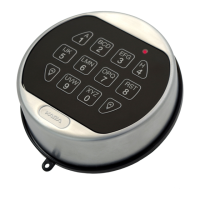
Below is a list of buttons and their functions on the Keypad:
Number Pad Can be used for entering User combinations, # commands (for non-Display Entries) and specific optional
functions on screen (for Display Entries)
Pound Key (#) Is used to return to a previous screen, or to wake up the Keypad without entering a number
Up and Down Arrows (˄˅) Navigate through options with these (for Display Entries)
Return Key () Confirms a selection or completed a key sequence
Below is a table outlining each Menu Setting and sub-setting within the Keypad display interface. Note that the menu available
changes based on the User Privileges.
Table 1 Menu Settings (Display Keypad)
Open Lock
Allows the User to open a lock.
Change combo
New Combo
Allows the User to change their combination.
Time/Date
Time Format
Choose between a 12 and 24HR time format.
Date Format
Change the date format.

Table of Contents

Related product manuals