EasyManua.ls Logo

Dormakaba 705 - 3 How to Use the System; 3.1 Keypad Model Definitions; 3.2 Menu Settings

Dormakaba 705
48 pages
Print Icon
To Next Page IconTo Next Page
To Previous Page IconTo Previous Page
Loading...
dormakaba USA Inc. System User Guide 7040.0320 | 11
3 How to Use the System
This section outlines how to use the installed system and how to execute specified functions. Please note that your instillation may
not include everything outlined in this section.
3.1 Keypad Model Definitions
Model 701
Model 702
Model 703
Model 704
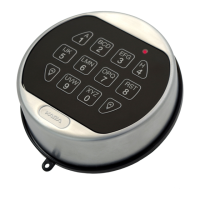
Model 705
OLED Display
Keypad
No
No
1.28”
Monochrome
OLED Display, 128
x 64
1.28”
Monochrome
OLED Display, 128
x 64
1.28” Monochrome
OLED Display, 128 x
64
Compatible Lock
Types
Swing/
Dead/
Spring Bolt
Swing/
Dead/
Spring Bolt
Swing/
Dead/
Spring Bolt
Swing/
Dead/
Spring Bolt
Swing/
Dead/
Spring Bolt
# of Users
1 Master/1
Manager/1
User
1 Master/1
Manager/28
Users
1 Master/1
Manager/28 Users
1 Master/1
Manager/47 Users
1 Master/1
Manager/97 Users
# of Locks
1
1
2
5
5
Dual-User Mode
No
Yes
Yes
Yes
Yes
Dual-User Mode
Override
No
Yes
Yes
2 Users
2 Users
Reset Function
Yes
Yes
Yes
Yes
Yes
Time Delay
No
0-99 Min.
0-99 Min.
0-99 Min.
0-99 Min.
Confirmation
Window
No
1-60 Min.
1-60 Min.
1-60 Min.
1-60 Min.
Time Delay
Override (TDO)
No
Yes
Yes
Yes
Yes
TDO with BLE Key
Fob
No
No
No
No
Yes
Programmable at
Keypad
Yes
Yes
Yes
Yes
Yes

Table of Contents

Related product manuals