dormakaba USA Inc. System User Guide 7040.0320 | 26
3.9 System Functions
The System menu allows the User to view and change various aspects, such as Combination length, Buzzer and Backlight, amongst
other options. Below is a table that outlines Buzzer, LED and Screen Messages in response to certain events.
Table 5 – Buzzer, LED and Screen Message(s)
Screen Message(s) (Display Only)
High beep + Green flash = Valid Key
Low Beep + Red flash = Invalid Key
Continuous medium
to low beeps
Continuous medium
to high beeps
Power On – No lock
connected
Power On – Bad
configuration
Power On/Wake Up – No
lock installed
Power On – Keypad not
compatible
Continuous alternate
flashing red and green
Wrong Keypad Model Cannot Install
3.9.1 System Info (Display Only)
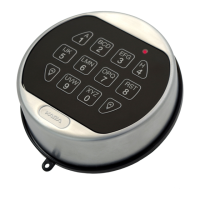
The System Info screen provides information related to the Keypad and safe locks connected to the System, including Firmware
version and Model number. Follow these steps to navigate through the System Info menu:



 To Next Page