Operation – Part 2
20.08.2012 Page 33 of 42 Rev. 04
5.4 DIL switch settings
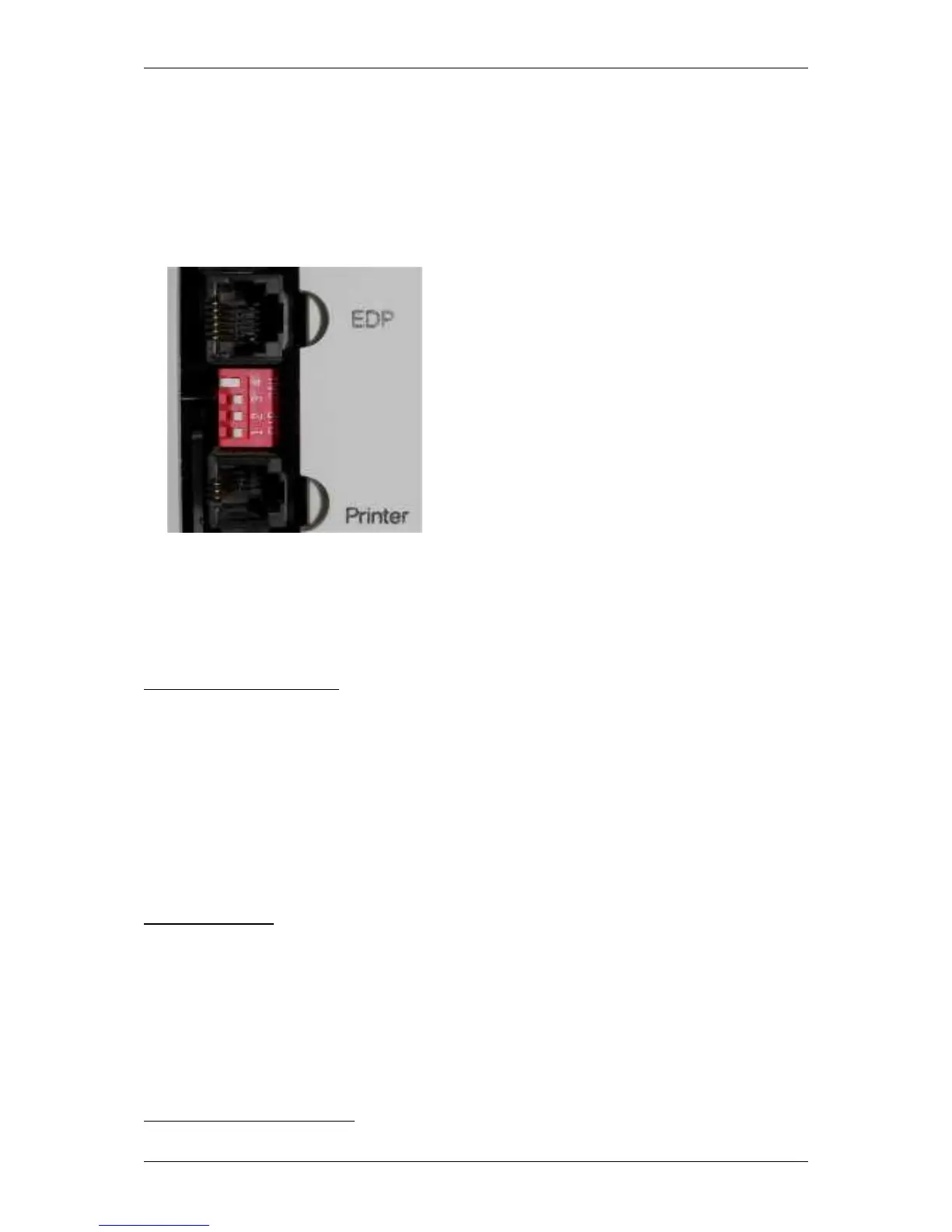
At the SUPER GL easy / easy+ could be chosen which parameter could be
measured and in which unit the values of several parameters should be
displayed. This happens by using the DIL switches, but note that the selected
parameter depends on the sensor in the device. The DIL switch is situated at
right side of casing (fig. 4.1)
Fig. 5.1 DIL switch
Basic rule for adjustments is that DIL switches 1 and 2 are for adjusting the unit
and DIL switches 3 and 4 are for adjusting the method. Following variants are
possible:
Sensor glucose / lactate
The following adjustments are valid:
DIL 1: Adjustment for unit glucose (ON = mg/dl and OFF = mmol/l)
DIL 2: Adjustment for unit lactate (ON = mg/dl and OFF = mmol/l)
DIL 3: Switching on / off measuring glucose (ON = determination of glucose;
OFF = no determination of glucose)
DIL 4: Switching on / off measuring lactate (ON = determination of lactate;
OFF = no determination of lactate)
The inquiry of measuring hemoglobin
(YES / NO and unit) will happen while
switching on the device.
Sensor glucose:
The following adjustments are valid:
DIL 1: Adjustment for unit glucose (ON = mg/dl and OFF = mmol/l)
DIL 2: Adjustment for unit hemoglobin
(ON = g/dl and OFF = mmol/l)
DIL 3: Switching on / off measuring glucose (ON = determination of glucose;
OFF = no determination of glucose)
DIL 4: Switching on / off measuring hemoglobin
(ON = determination of
hemoglobin; OFF = no determination of hemoglobin)
depending on model of equipment


 To Next Page