Maintenance and troubleshooting
20.08.2012 Page 37 of 42 Rev. 04
6.3.2. Change the sensor
Removal of sensor
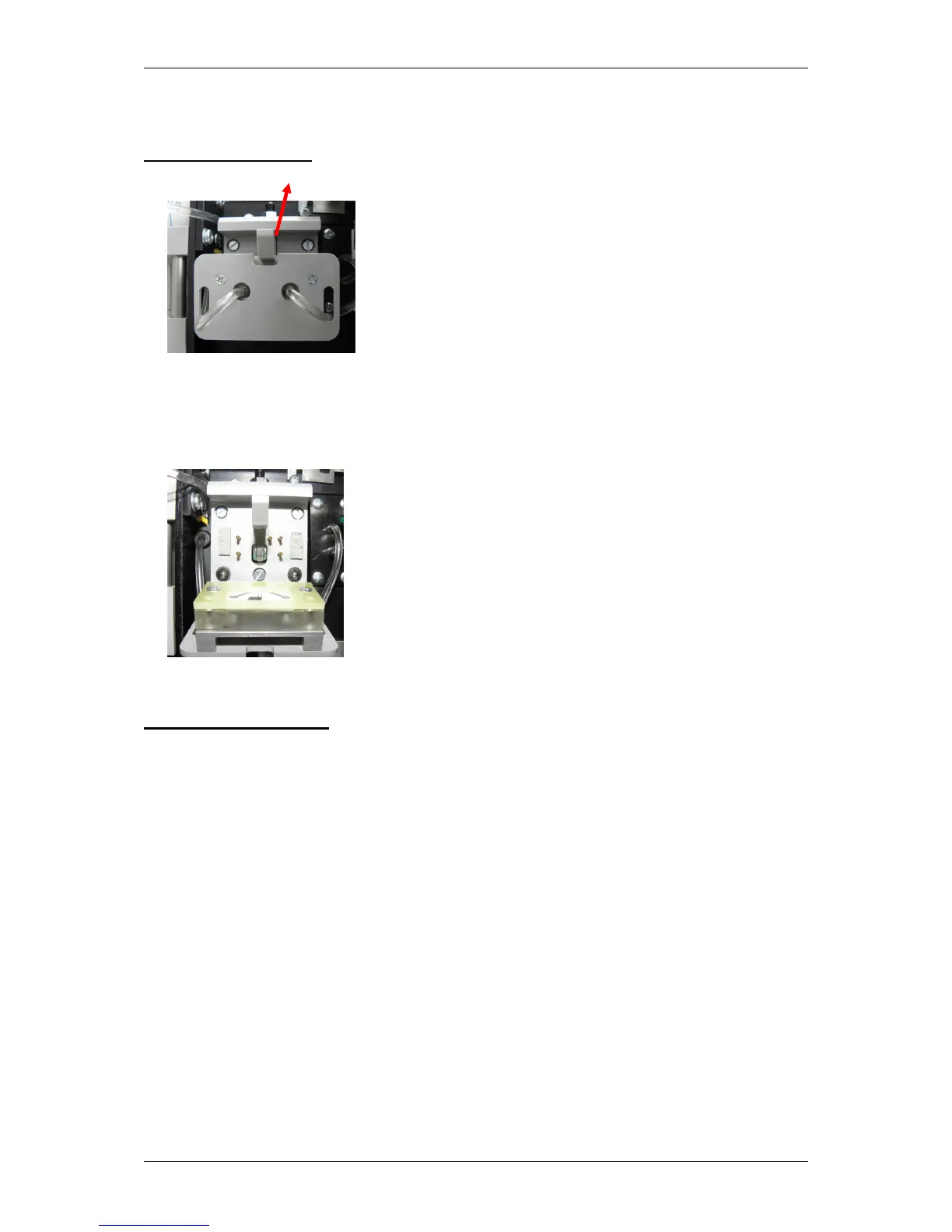
1. Open the sensor housing by turning the fastener upwards
Fig. 6.1 Sensor opening closed
2. Removal of sensor
Fig. 6.2 sensor opening open
Inserting the sensor
1. Open the packaging and remove the sensor
2. Open the sensor housing by turning the fastener upwards
3. Insert the sensor
4. Close the sensor opening
6.3.3 Changing the containerkit
The SUPER GL easy / easy+ is operated with what is known as a containerkit.
This is a system solution/waste bottle combination specially produced for this
type of analyser. It is hung on the back of the analyser and connected by the
tubes to the analyser tubing. The volume is designed so that the waste bottle is
full when the reservoir bottle is used up.
The analyser monitors the availability of the solution but not the waste
container.


 To Next Page