REGARD 8-Input 4-20 Module & 8-Channel Display Card (ATEX Version)
Issue 2. October 2011
13
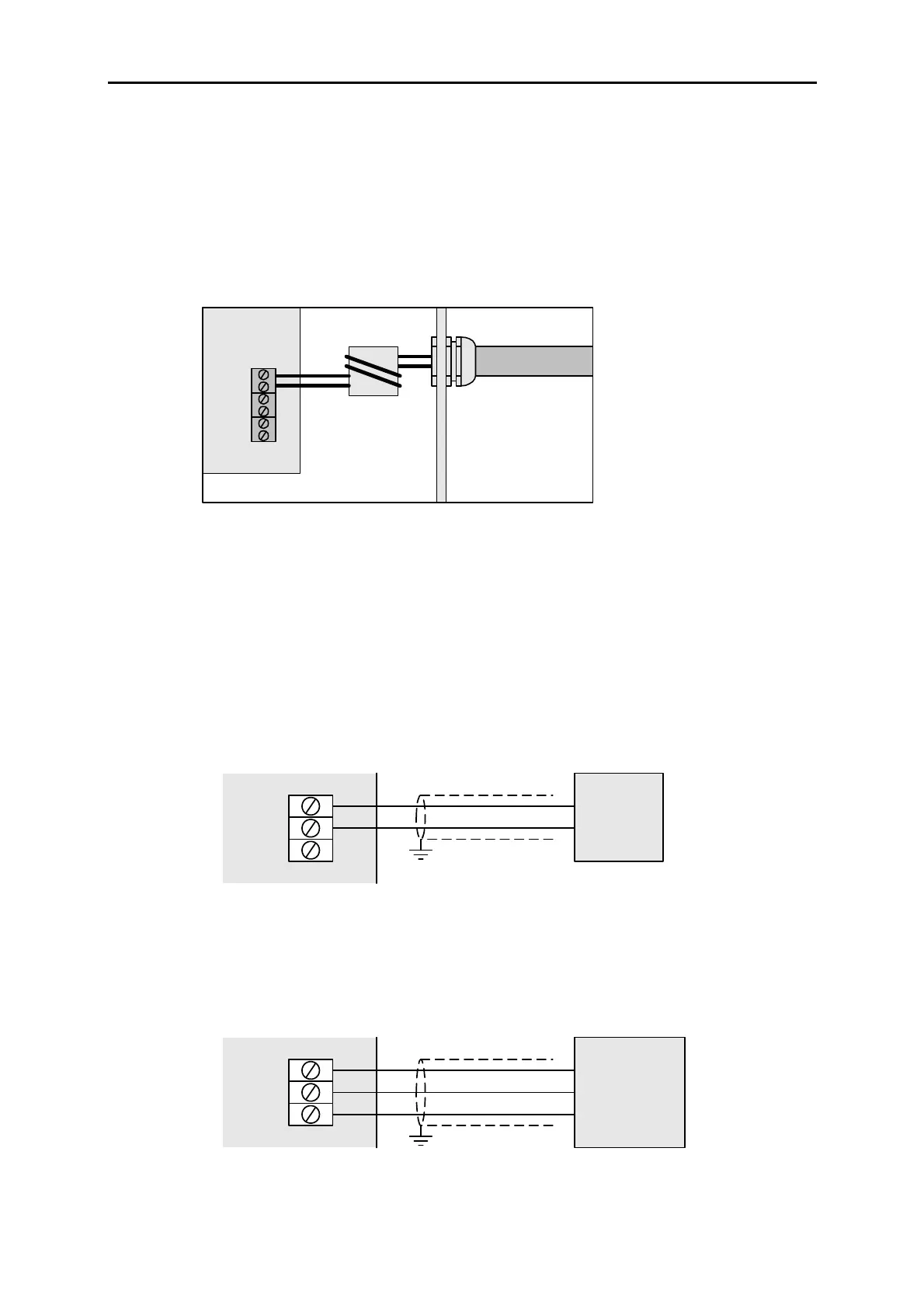
EMC! If cable between module and display card is routed outside enclosure:
• Use screened twisted-pair cable
• Pass the cable through a ferrite tube between the cable entry and the input module,
and between the cable entry and the display card
• Keep distance between cable gland and ferrite tube short.
Position of ferrite tube for input module:
A
B
Connect transmitters to input module
Refer to transmitter installation instructions.
Transmitters must be connected to the input module starting from Channel 1 and then
consecutively until all heads are attached or all ports are used.
EMC! Use screened cable to connect transmitters. Connect cable screen to earth where it
enters the enclosure that contains the input module.
4-20 MODULE
24V
CH n
0V
2-WIRE
TRANSMITTER
+
–
24V
CH n
0V
3-WIRE TRANSMITTER
(CURRENT SOURCE)
+
–
4-20mA
4-20 MODULE












 To Next Page