REGARD 8-Input 4-20 Module & 8-Channel Display Card (ATEX Version)
Issue 2. October 2011
15
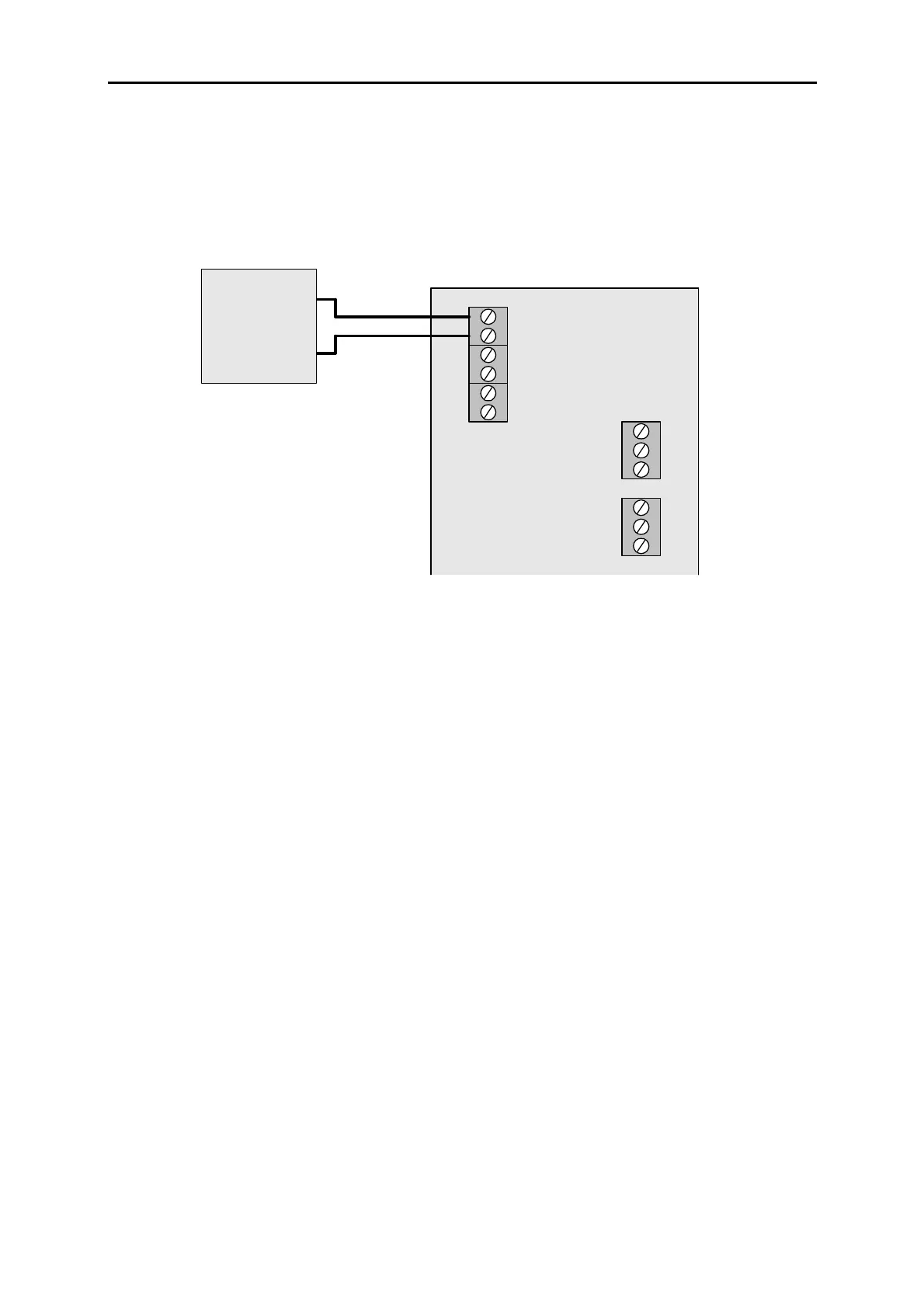
Connect DC supply to module
Connect DC supply to DC input 1 or 2.
POWER SUPPLY
18 – 35V DC
B
A
4-20 MODULE
0 V
24V
24V
0 V
+
–
Other input can be used to connect DC supply another module. Maximum current
allowed through input terminals: 1A
Ensure that the 0V potential between input module and display card is less than ±5V. If
potential difference exceeds 5V, use RS-485 isolator between input module and card.
Install 8-channel display card
Insert 8-channel display card into slot in Regard rack wired to 8-input module.
EMC! Tighten the screws on the front panel fully.












 To Next Page