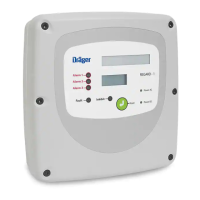
REGARD 8-Input 4-20 Module & 8-Channel Display Card (ATEX Version)
Issue 2. October 2011
25
Set alarm latch mode
Commands 11–7, 11–8 and 11–9 set the latch mode of the A1, A2 and Fault relays.
These commands are identical in operation, only 11–7 is detailed here.
PRESS DISPLAY
• Select command 11–7
R
A1 MODE
Display shows current mode of A1 alarm for head 1:
h1:DNAK
• Select head to change. Current setting shown.
h2:DNAK
Select NAK for non-latching, non-acknowledgeable
Select LNAK for latching, non-acknowledgeable
Select DNAK for delay-latching
• Select next head to change. Current setting shown.
h3:DNAK
Repeat for other heads
• Confirm selection and exit command
R
11–7
The following table describes the various latch modes available.
Mode Function
NAK Non Latching and Non Acknowledgeable
Relay returns to its non-alarm state when the relay alarm condition has cleared.
Acknowledging the relay alarm whilst the alarm condition is still true will not
reset the relay.
LNAK Latching and Non Acknowledgeable
Returns to its non alarm state when the alarm condition stops and then the
alarm is acknowledged. Acknowledging the relay alarm whilst the alarm
condition is still true will not reset the relay. The relay will not automatically go
back to its non-alarm state when the alarm condition stops.
DNAK
Delay Latching and Non-Acknowledgeable
Relay returns to its non alarm state when the alarm condition stops and the
alarm has been acknowledged. Acknowledging the relay alarm whilst the alarm
condition is still true will not reset the relay. The relay will automatically go back
to its non-alarm state when the alarm condition stops if the relay has already
been acknowledged.












 To Next Page