REGARD 8-Input 4-20 Module & 8-Channel Display Card (ATEX Version)
Issue 2. October 2011
23
Set measurement range (FSD)
PRESS DISPLAY
• Select command 04–2
R
FSD
Display shows current setting of head 1: e.g.
h1:100
• Select head to change. Current setting shown.
h2:250
• Select FSD for head, e.g. 50 *
h2:50
New FSD confirmed
NEW FSD
• Select next head to change. Current setting shown.
h3:100
Repeat for other heads
• Confirm selection and exit command
R
04–2
WARNING – when a new FSD is selected and confirmed, the alarm mode is set to
rising and the trip levels are reset to their default values of 20% and 40% of FSD for
A1 and A2 alarms respectively.
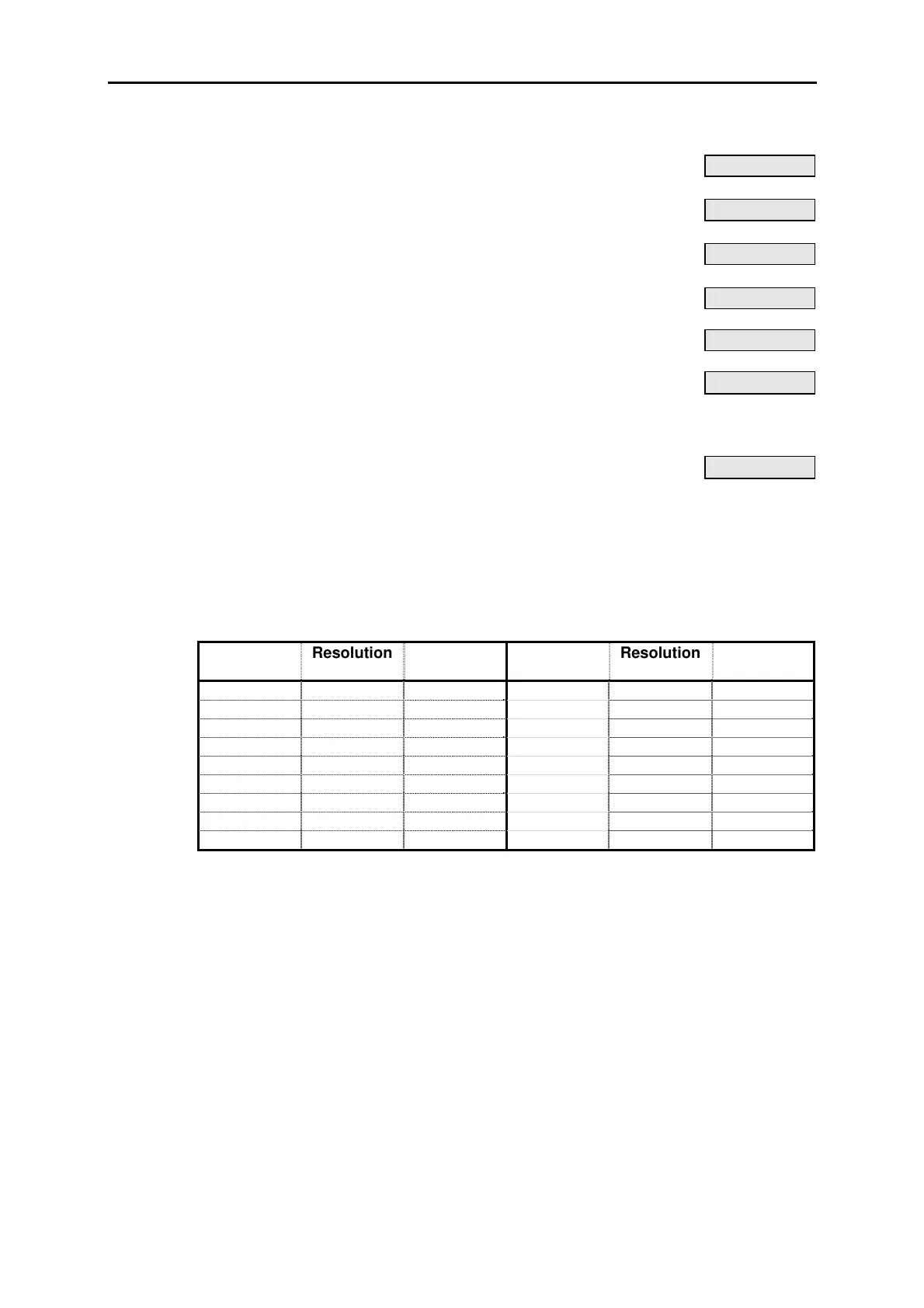
* Available settings are below. The resolution of the display depends on the selected
range. The following table gives the resolution and the number of decimal places
displayed for a positive reading on each range.
Range Resolution Dec.
Places
Range Resolution Dec.
Places
0 – 1 0.01 2 0 – 100 1 0
0 – 2 0.01 2 0 – 200 1 0
0 – 3 0.01 2 0 – 250 1 0
0 – 5 0.01 2 0 – 300 1 0
0 – 10 0.1 1 0 – 500 1 0
0 – 20 0.1 1 0 – 1000 1 0
0 – 25 0.1 1 0 – 3000 10 0
0 – 30 0.1 1 0 – 9999 25 0
0 – 50 0.1 1












 To Next Page