Vigor2750 Series User’s Guide
151
list will be applied to if matching with the rule defined in this
page.
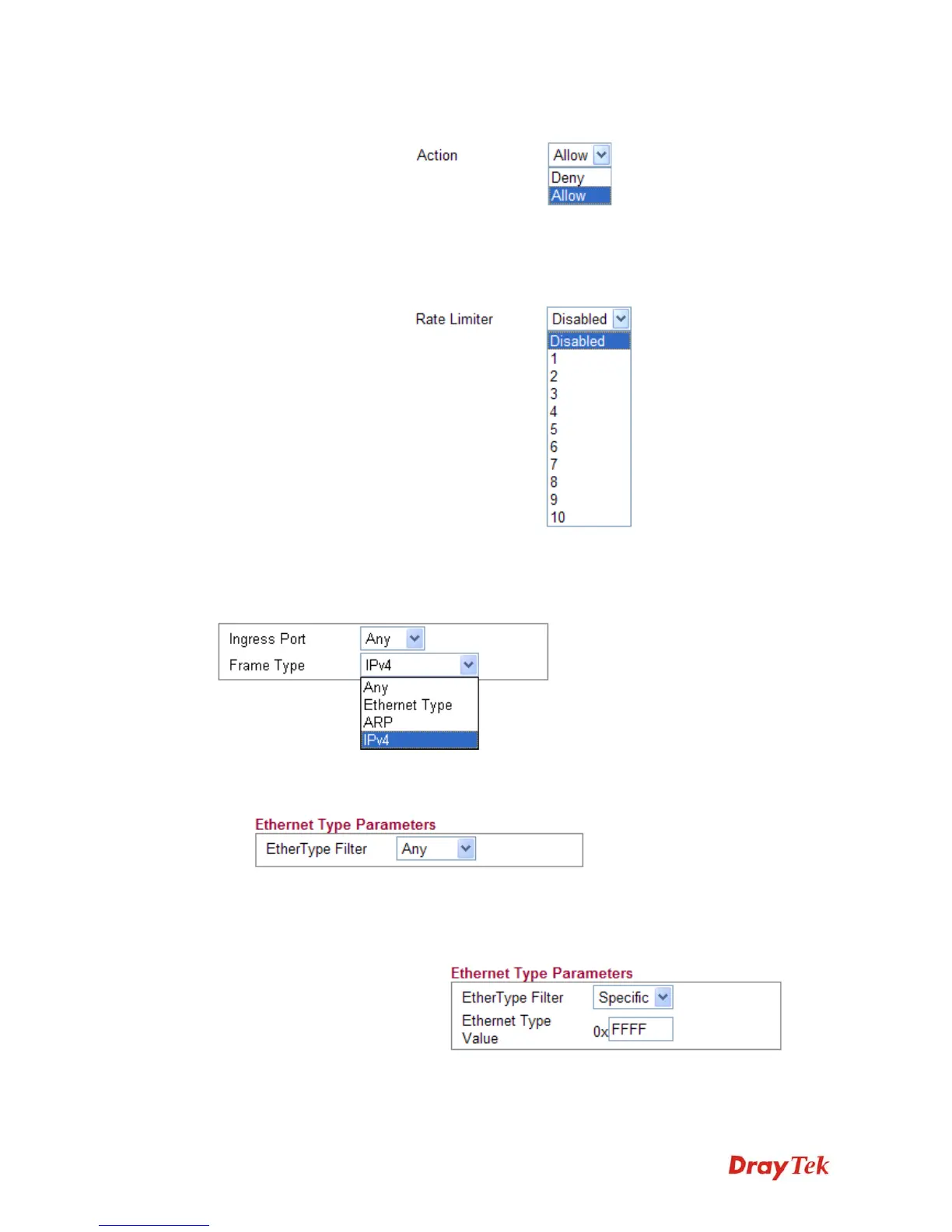
Rate Limiter - Select a rate limiter to apply to this port.
Available settings include Disabled, and 1 to 10. The default
value is Disabled. Click the Rate Limiter link to configure
different rates for each ID.
D
D
e
e
t
t
a
a
i
i
l
l
e
e
d
d
E
E
x
x
p
p
l
l
a
a
n
n
a
a
t
t
i
i
o
o
n
n
f
f
o
o
r
r
F
F
r
r
a
a
m
m
e
e
T
T
y
y
p
p
e
e
Frame Type selection will lead different options for configuration.
z Choose Ethernet Type as the Frame Type, you will get Ethernet Type Parameters
option as the following:
Ethernet Type Filter Choose Any to set the parameter with any value set by the
router automatically or choose Specific to specify certain
value (the range is 0x0000 to 0xFFFF).
z Choose ARP as the Frame Type, you will get ARP Parameters option as the following:














 To Next Page