Vigor2750 Series User’s Guide
152
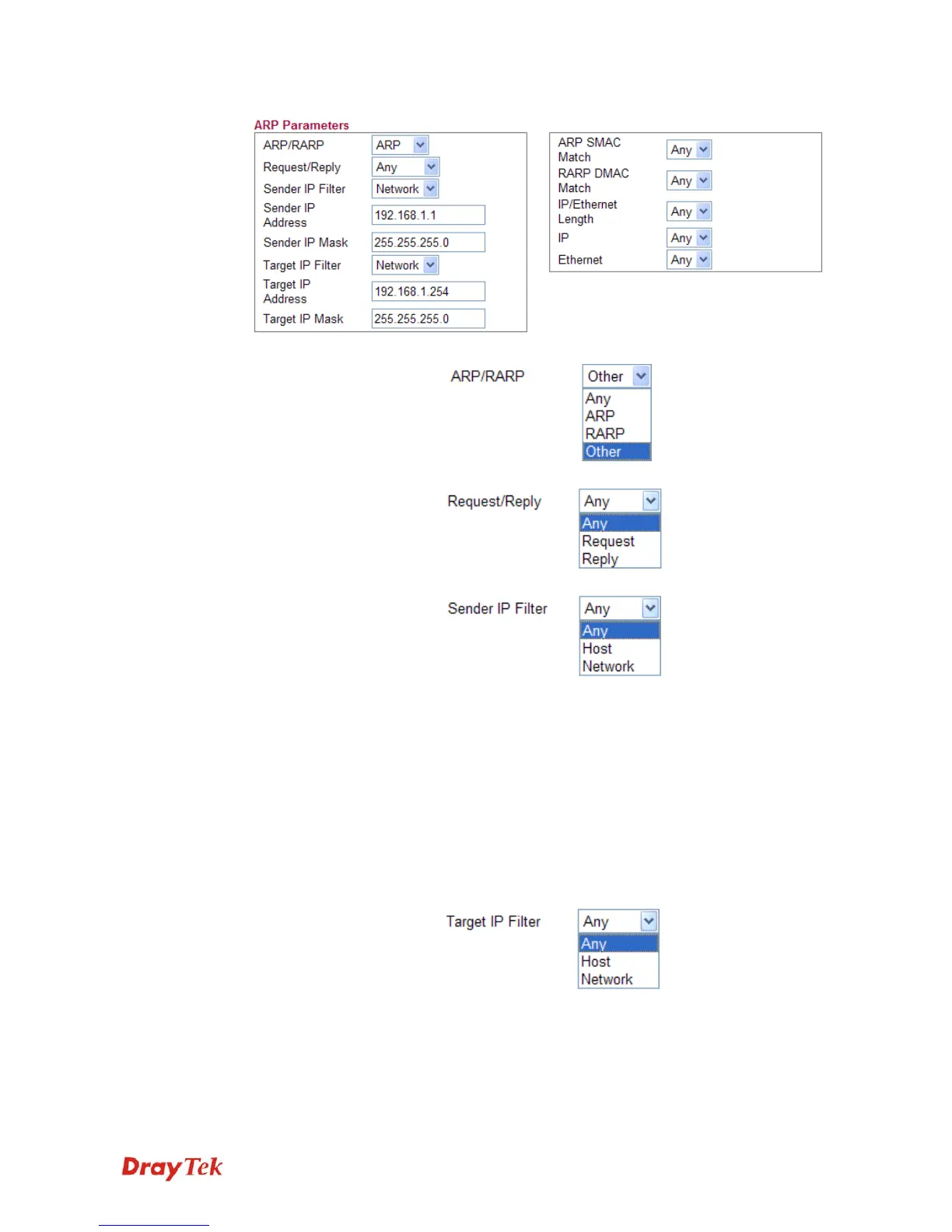
ARP/RARP Choose the ARP/RARP that you want to filter.
Request/Reply Choose the request or replay that you want to filter.
Sender IP Filter Specify the sender IP filter for this ACE.
Choose Any to filter all of the packets.
Choose Host to filter the packets from the host with the
address typed in Sender IP Address filed.
Choose Network to filter the packets within the network
defined in Sender IP Address and Sender IP Mask
fields.
Sender IP Address Type the Sender IP Address here. This option is available
when you choose Host or Network as Sender IP Filter.
Sender IP Mask Type the Sender IP Mask here. This option is available
only when you choose Network as Sender IP Filter.
Target IP Filter Specify the target IP filter for this specific ACE.
Choose Any to filter all of the packets.
Choose Host to filter the packets from the host with the
address typed in Target IP Address filed.
Choose Network to filter the packets within the network
defined in Target IP Address and Target IP Mask fields.














 To Next Page