Vigor2960 Series User’s Guide
404
FTP Port
Type the port number for the management through FTP
server.
Apply
Click this button to save the configuration and exit the web
page.
Cancel
Click it to discard the settings configured in this page.
Enter all of the settings and click Apply.
4
4
.
.
1
1
5
5
.
.
6
6
.
.
2
2
F
F
a
a
i
i
l
l
t
t
o
o
B
B
a
a
n
n
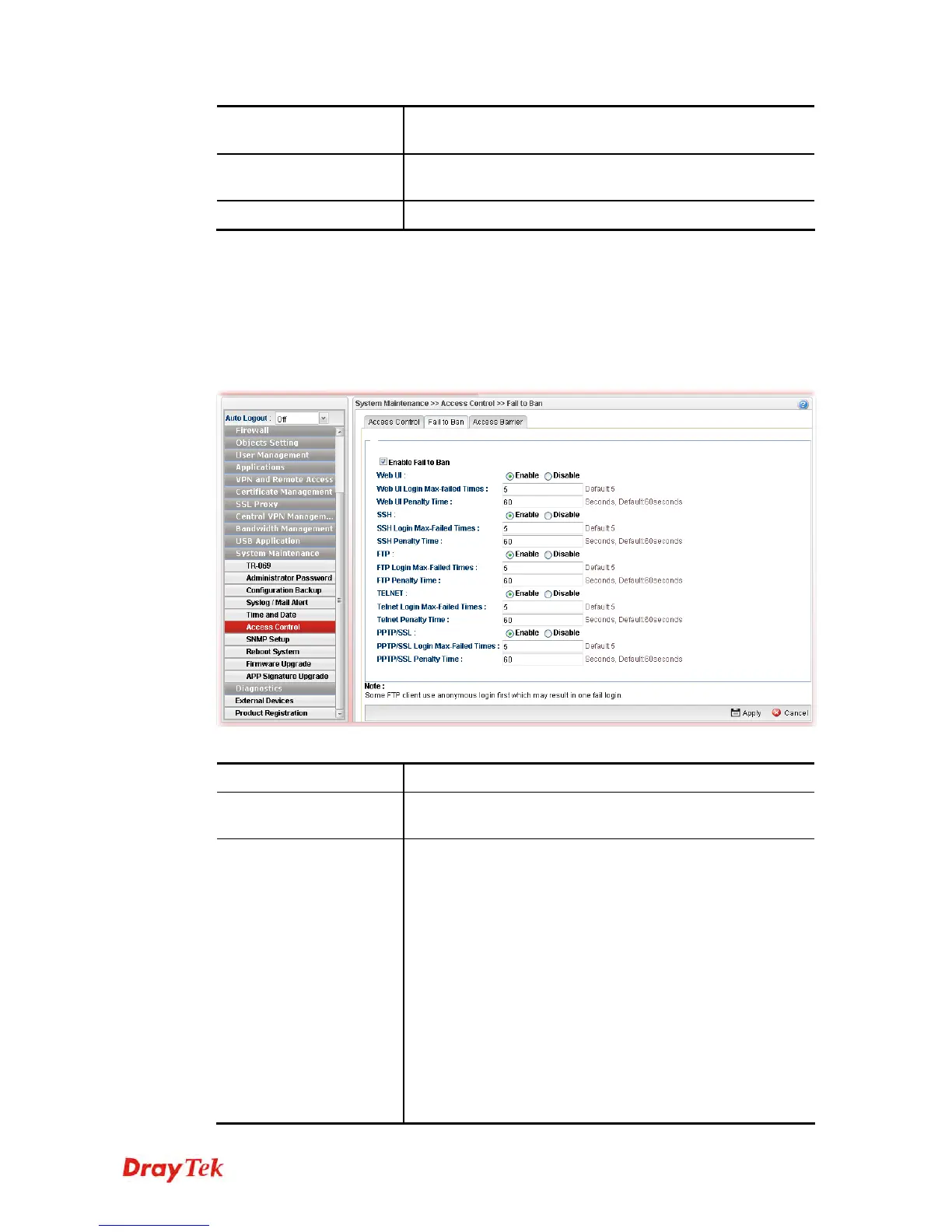
When someone tries/fails to login the router many times, Vigor router system will block the
network connection for a while to protect system. At present, five protocols (Web User
Interface, SSH, FTP, Telnet, PPTP/SSL) are available for configuration to avoid malicious
attacks.
Available parameters are listed as follows:
Item Description
Enable Fail to Ban
Enable the function to protect Vigor system while being
attacked by malicious accounts and passwords.
Web UI/SSH/FTP/
TELNET/PPTP/SSL
Enable – Enable the function of Fail to Ban via different
protocols (Web UI/SSH/FTP/TELNET/PPTP/SSL).
Login Max-failed Times – The number typed here
means the maximum logging times allowed for a group of
user account and password trying to login Vigor router.
Penalty Time – This field is used to configure the
blocking time. The default setting is 60 seconds. It
means, when a user tries to login Vigor router with a user
account for many times (defined in Login Max-failed
Times) but fails, he/she will be prohibited to login for a
period of time. When the penalty time limit is up, he/she
is allowed to login into Vigor router again.
Disable - Disable the function of Fail to Ban for Web
UI/SSH/FTP/TELNET/PPTP/SSL.














 To Next Page