20/57
Control your heating
Operate
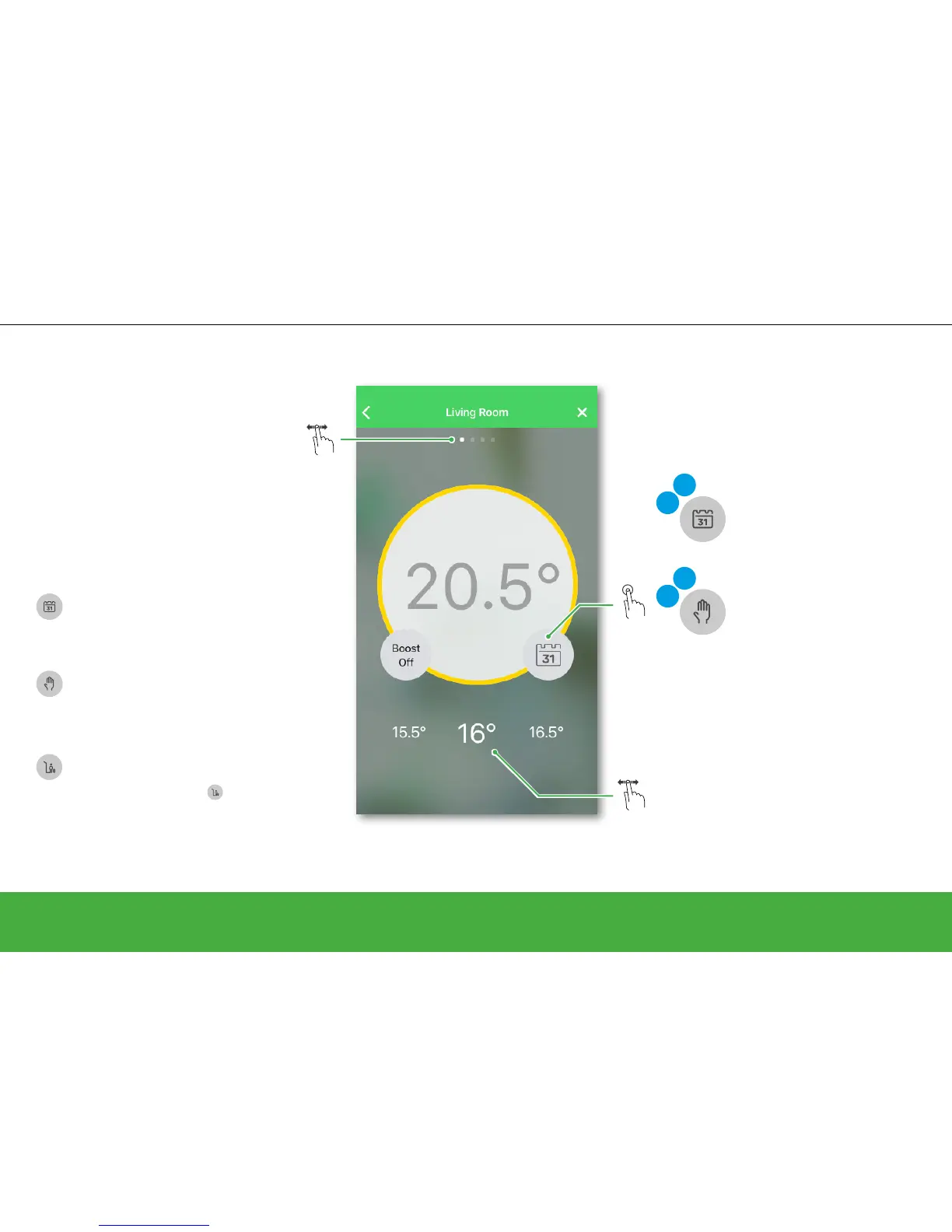
Set the room temperature
Auto Mode
The new set-point will continue to be active
until the next scheduled event.
Manual Mode
Any set-point changes made with the slider
will continue to be active until the next time
the slider is used.
• Edit your schedule
• Switch to Manual Mode
Auto
Edit
• Edit your schedule
• Switch to Auto Mode
Man
Edit
What will happen if your system is in:
Away Mode
The new set-point will continue to be
active until Away Mode
is deactivated.
Afterwards it goes back to its Auto or Manual
status depending on which one was active
when Away Mode was activated.
Slide to the left/right to manually increase/
decrease the current set-point temperature.
Select the room in which you want to set
a new room temperature.


 To Next Page