33/57
Wiser Room Thermostat
Operate
Replace the batteries
The room thermostat always informs you of battery status. It can also
be viewed in the Wiser Heat app under Settings -> Devices.
When the thermostat display is in Sleep Mode, a ashing red light
below the Boost button signals the batteries are near depletion.
Symbols Meaning
Full
Batteries are low – change them in the near future
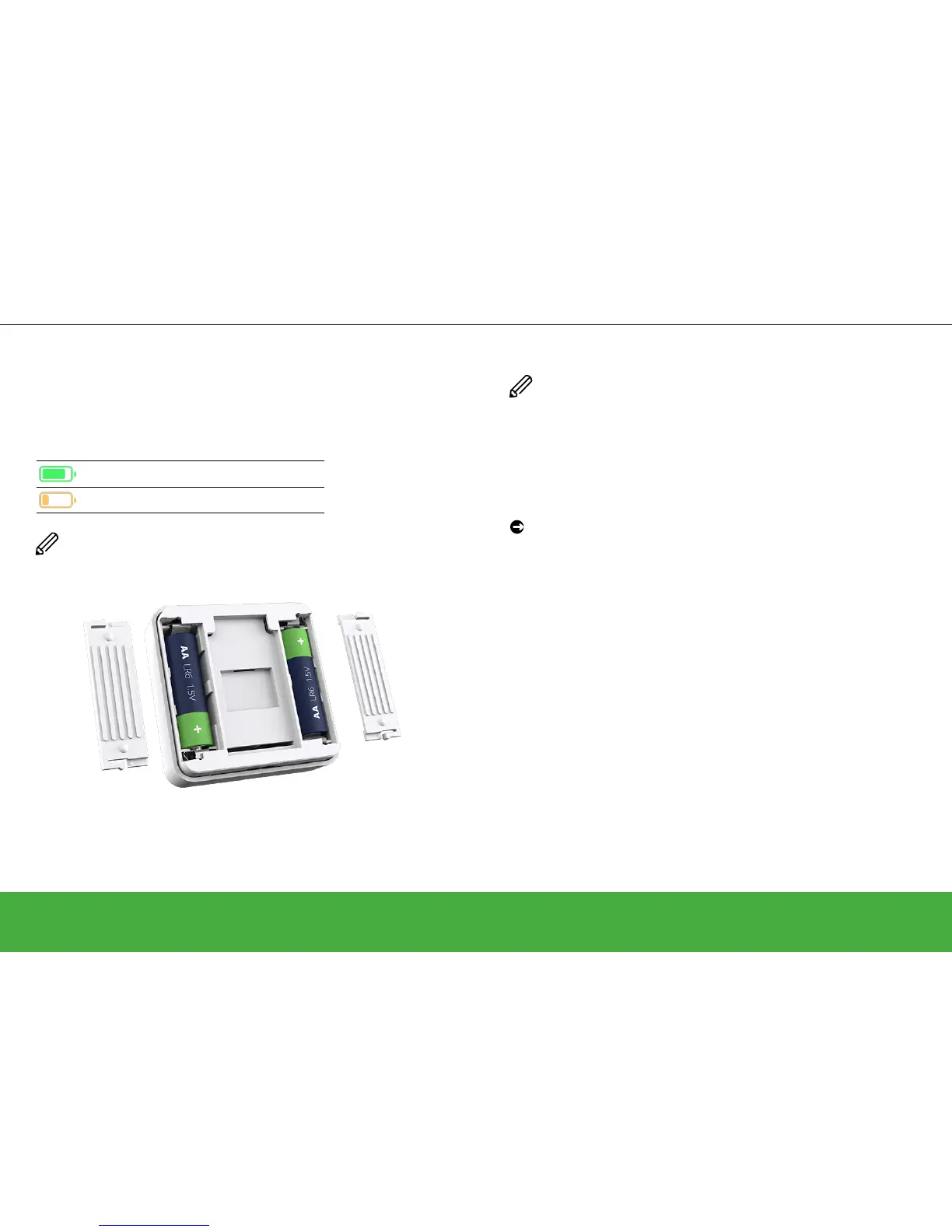
Replace the batteries with 2 x 1.5V IEC LR6 (AA) alkaline cells.
Ensure the batteries (+ and - ends) are correctly orientated. The
polarity is indicated on the device’s terminals.
Batteries should be disposed of according to statutory regulations.
They must be recycled properly to protect the environment and
reduce the waste of precious resources.
Wake up the Room Thermostat
If there has been no interaction for 15 seconds, the room thermostat
goes into Sleep Mode and the display fades out.
Wake up the room thermostat by touching any button.
Reset the Room Thermostat
Have a look at: Removing devices and factory reset -> page 49


 To Next Page