49/57
More on Installation
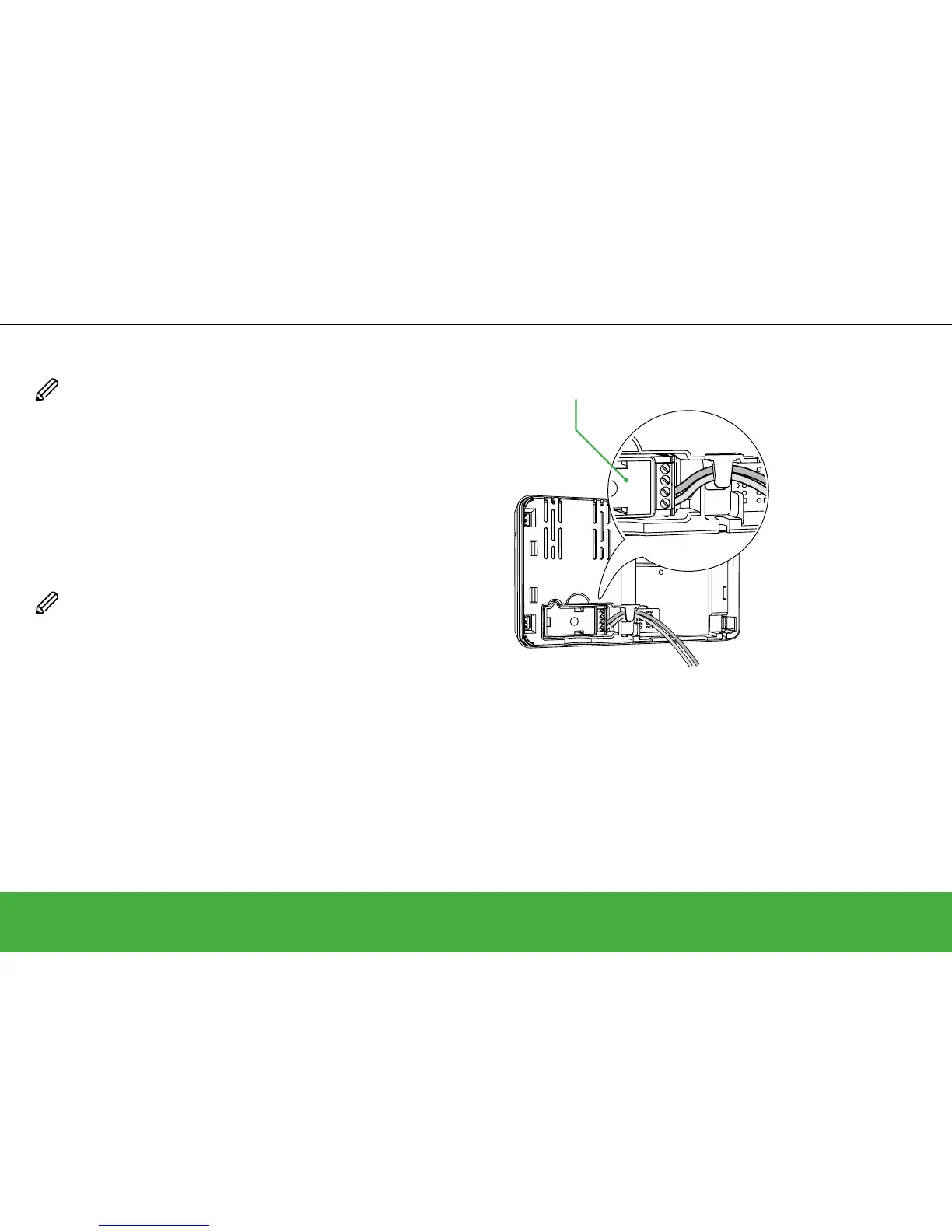
How to connect OpenTherm
The Wiser system currently supports OpenTherm only in
conjunction with a combi boiler.
If your boiler supports OpenTherm, follow the instructions below.
Existing OpenTherm Installation
1 Remove the OpenTherm cables from the existing controller or
thermostat.
2 Remove the OpenTherm module from the rear of the Heat Hub
R
3 Set the OpenTherm cables into the OpenTherm module. Cables
can be wired any way.
4 Replace the OpenTherm module into the Heat Hub
R
5 Mount the Heat Hub
R
on the backplate.
The Heat Hub
R
must be congured to use OpenTherm. This can
be done during set-up in the Wiser Heat app.
Re-wiring to OpenTherm from standard installation
Any motorised valves must be disconnected and set to open. Then
follow steps 2 – 5 above to wire in the OpenTherm
module.
If you are tting a new system or require re-wiring, contact an installer.
OpenTherm
module


 To Next Page