9/57
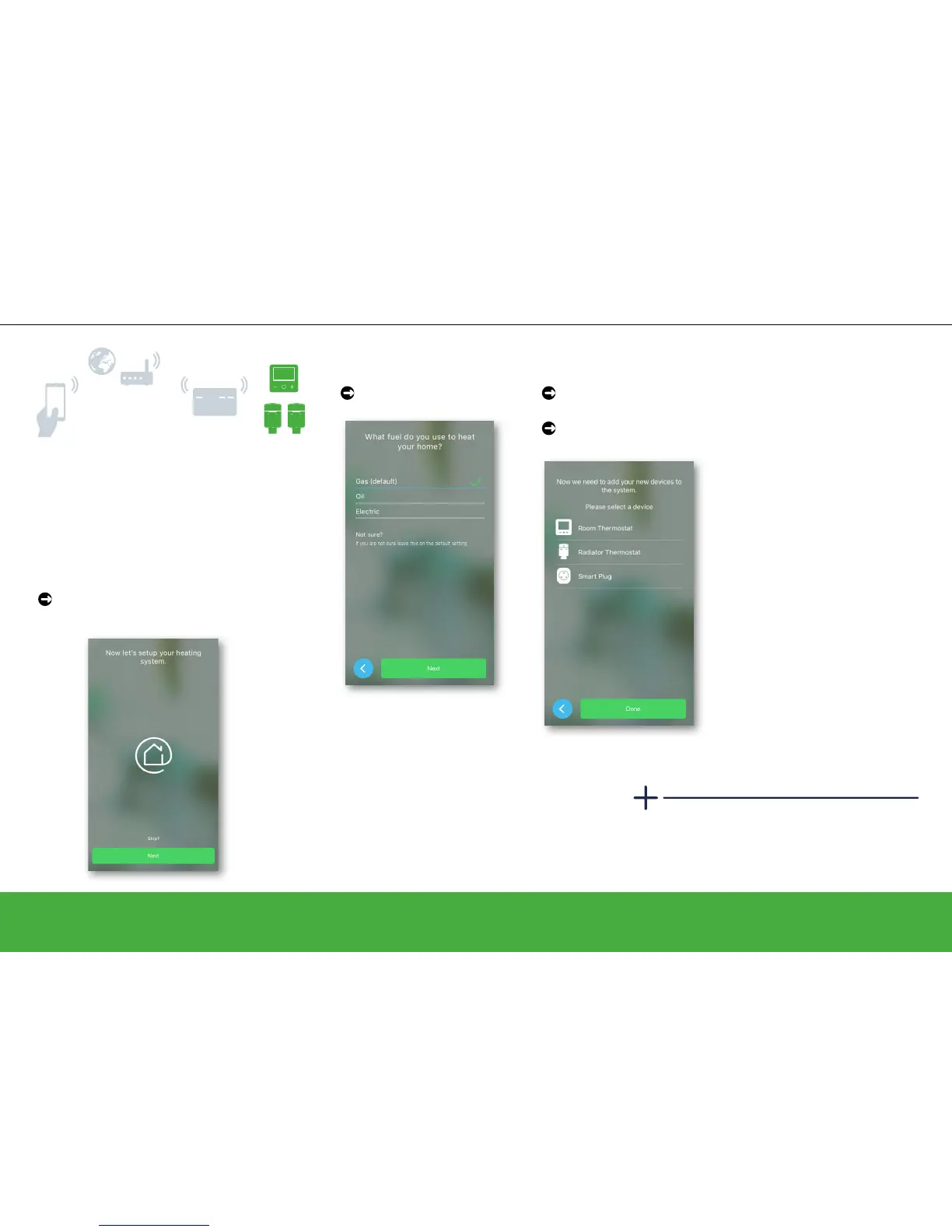
Set up a system
Join devices to the Heat Hub
R
Choose fuel type and
tap Next
Tap ON the device
you wish to add
Follow the on-screen
instructions
Not sure where to place the radiator
thermostats? Have a look here: Installing
your Wiser Multi-zone Kit -> page 43..
Step 3: Join devices to the Heat
Hub
R
The following instructions show you how to
join devices to the Heat Hub
R
in order to set
up your heating system. Do this by adding
room thermostats and radiator thermostats,
assigning them to rooms, and adding smart
plugs.
To start joining from the screen below,
tap Continue (or Next)
Have a look at:
• Add a room thermostat
-> page 10 and
follow the on-screen
instructions
• Add a radiator
thermostat -> page 11
and follow the on-screen
instructions,
• and Add a smart plug ->
page 12 and follow the
on-screen instructions


 To Next Page