32/57
Operate
Wiser Room Thermostat
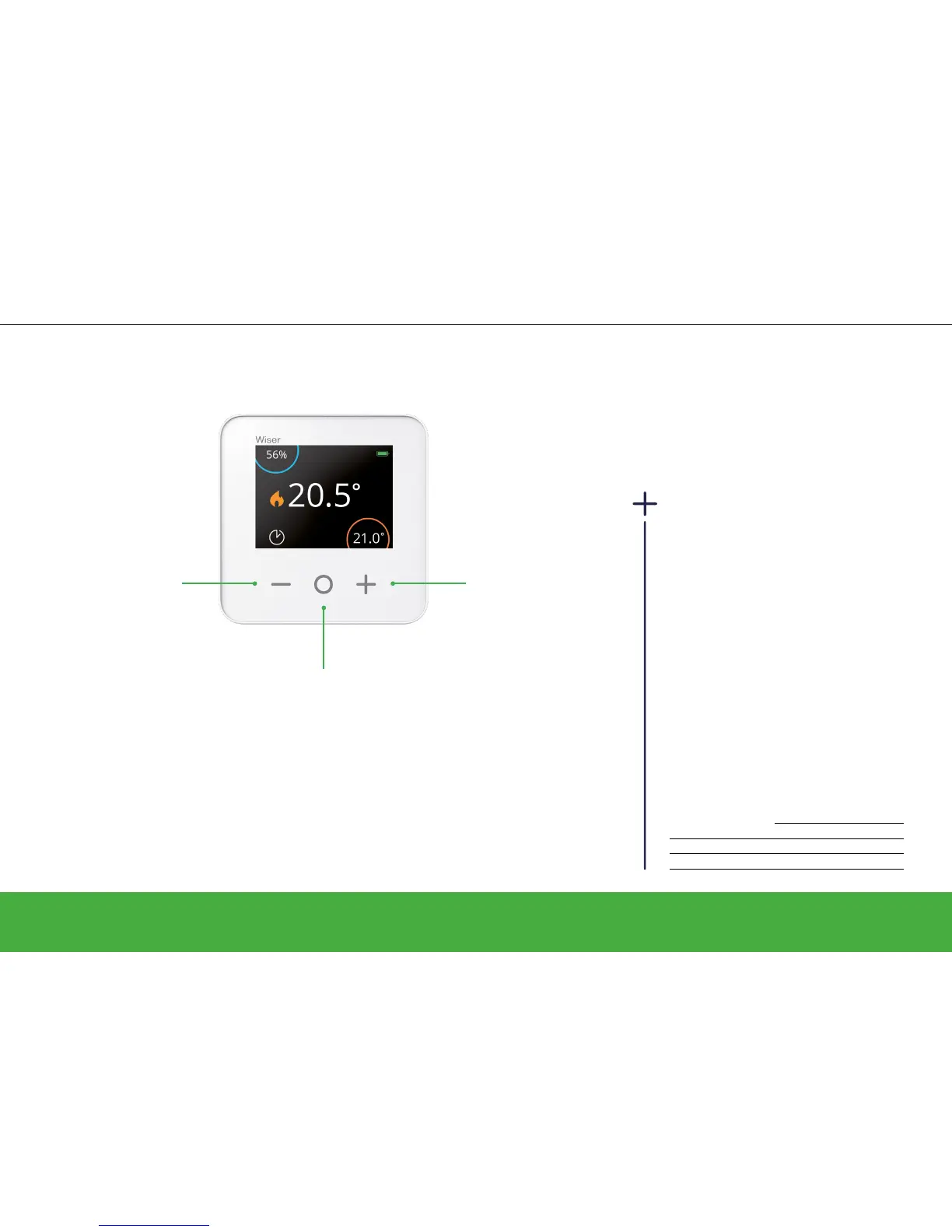
Decrease set-point
temperature by 0.5°C.
In Auto Mode, the
setting will be valid until
the next scheduled
event.
Increase the set-point
temperature by 0.5°C.
In Auto Mode, the
setting will be valid until
the next scheduled
event.
There are three ways to change the room
temperature:
From your Wiser Heat app
• By setting a new set-point temperature
• By boosting (you can increase the
temperature and choose the duration of
the boost)
From your radiator Thermostat
• By boosting (you can increase or
decrease your temperature; the time is
always 1 hour)
Overview of boosts
Temperature Time
Wiser Heat app + 2°C Selectable
Room Thermostat + 2°C Selectable
Radiator Thermostat + / - 2°C Fixed, 1 hour
Set a room temperature
Temporarily boost set-point temperature by 2°C.
In Auto Mode, the boost stays valid until the
boost time expires.
The amount of time the boost remains active
depends on how many times you press O as
follows:
Press 1 time = 30 minutes
Press 2 times = 1 hour
Press 3 times = 2 hours
Press 4 times = 3 hours
Press 5 times = Cancel


 To Next Page