22/57
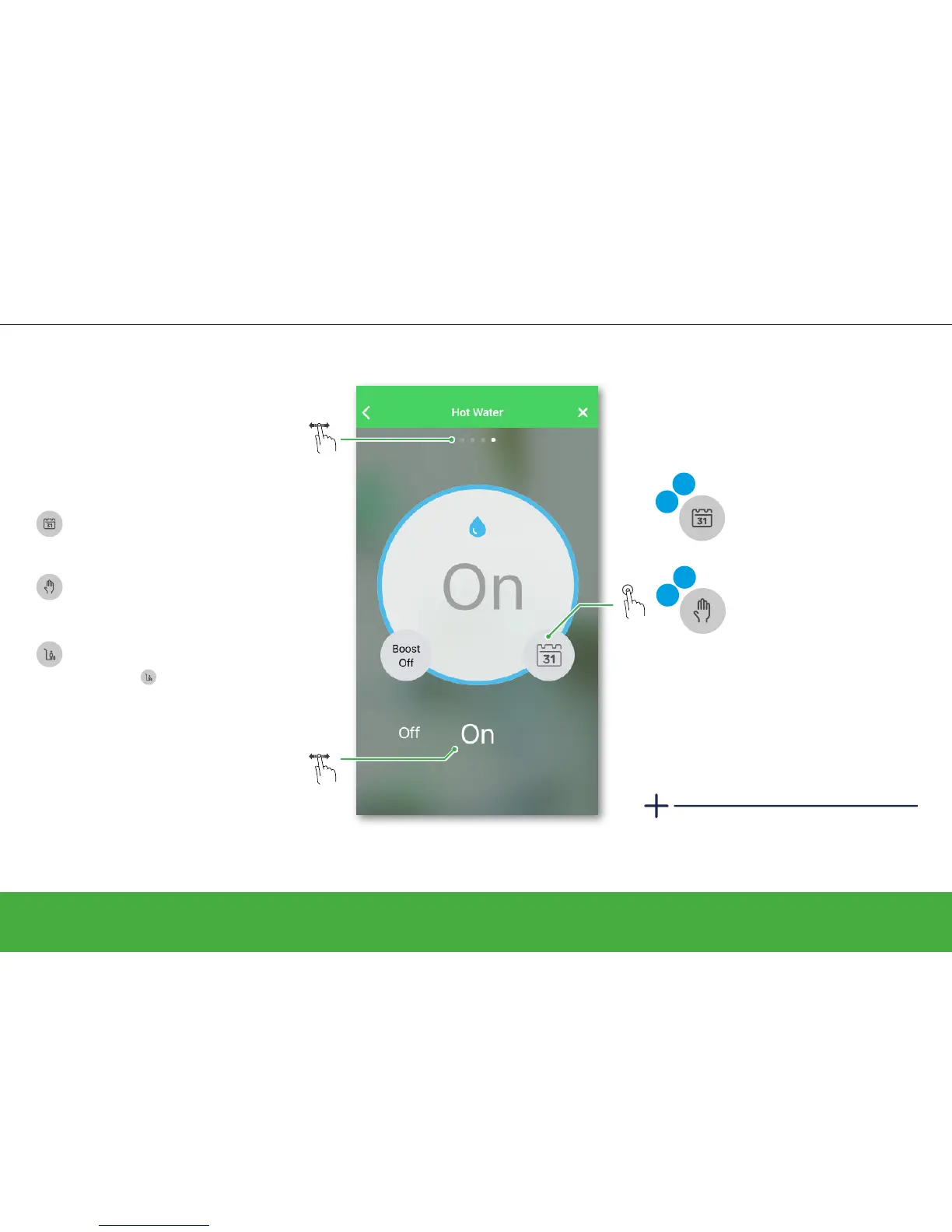
Control your hot water
Operate
Controlling hot water
• Edit your schedule
• Switch to Manual Mode
Auto
Edit
• Edit your schedule
• Switch to Auto Mode
Man
Edit
Auto Mode
The set status will continue to be active
until the next scheduled event.
Manual Mode
The set status will continue to be active until
the next time the slider is used.
What will happen if your system is in:
The Hot Water screen is only visible if you
use either the two-channel Heat Hub
R
or
the three-channel Heat Hub
R
.
Select screen for Hot Water
Away Mode
The set status will continue to be active until
Away Mode
is deactivated. Afterwards
it goes back to Auto or Manual status
depending on which one was active when
Away Mode was activated.
You can manually switch the hot water
ON or OFF by swiping left or right.


 To Next Page