EasyManua.ls Logo

Dremel 3D40 FLEX - Page 210

Dremel 3D40 FLEX
Print Icon
To Next Page IconTo Next Page
To Previous Page IconTo Previous Page
Loading...
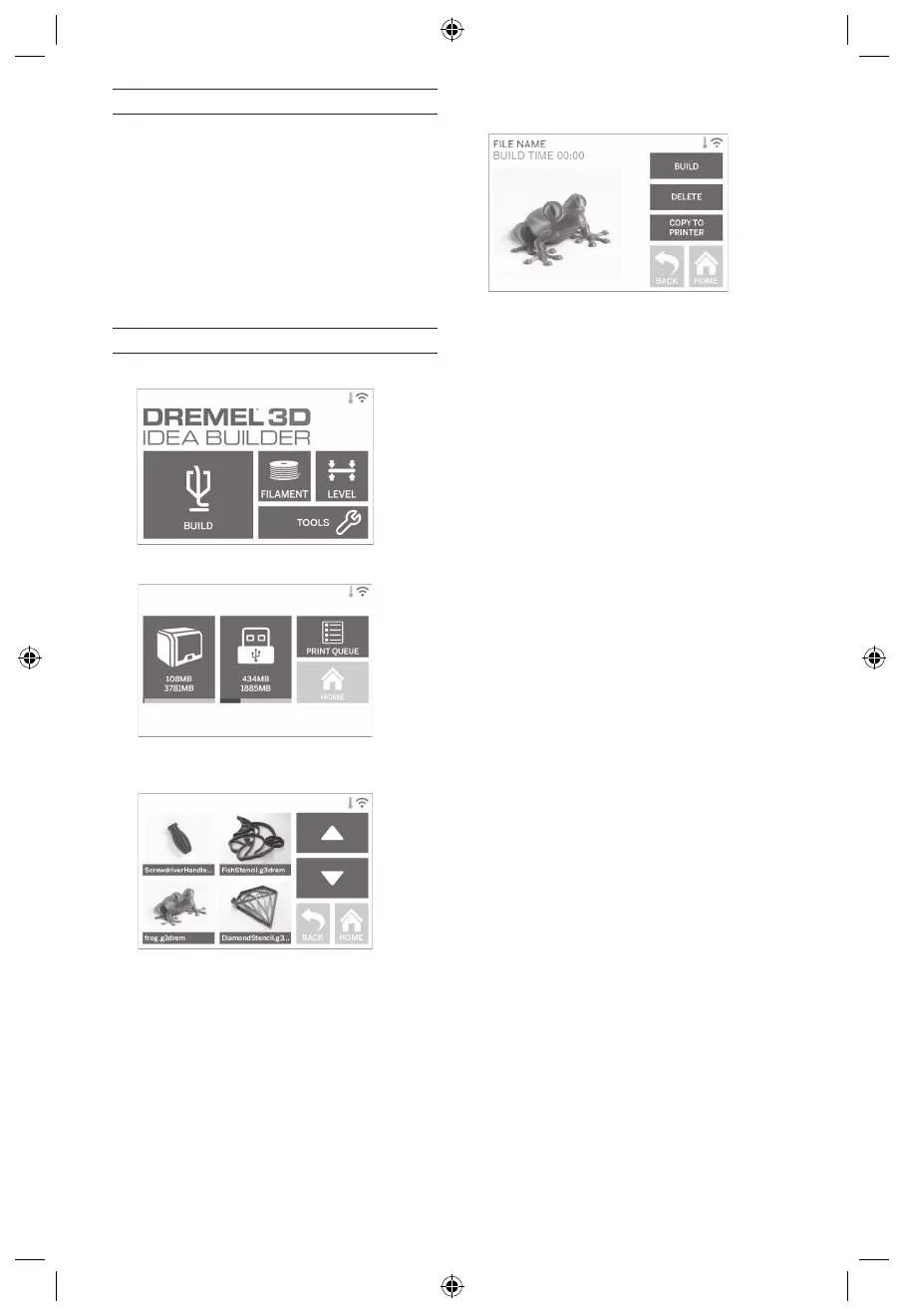
BOUWEN VANAF USB-STICK
1. 
2. 

3. 




BOUWEN VANAF COMPUTER



bouwen.
DE BOUW VAN EEN OBJECT ANNULEREN OP
DE 3D40 FLEX

of bouwen, raakt u de optie 'Stop' aan op het

extruder en het printbed in hun kalibratiepositie gezet.
VOORDAT U BEGINT TE BOUWEN
1. 
pagina 204).







tijdens de bouw, wordt een pauze ingelast totdat

2. Controleer of printbedtape is aangebracht en dat
het printbed goed genivelleerd is.
BOUWEN VANUIT OPSLAGLOCATIE IN DE PRINTER
1. 
2. 
3. 

4. 
het bouwproces te starten.
5. Uw 3D40 FLEX zal eerst de extruder en het
printbed uitlijnen naar hun nulpositie. Vervolgens
zal de nivelleringssensor het printbed licht





6. Zodra uw object voltooid is, zal uw 3D40 FLEX de


7. Wacht totdat het touchscreen aangeeft dat de
extruder is afgekoeld (cool) voordat u het object
verwijdert. Raadpleeg verderop in deze handleiding

voor instructies over hoe u een object van het
printbed verwijdert.
210

Table of Contents

Other manuals for Dremel 3D40 FLEX

Related product manuals