EasyManua.ls Logo

Dremel 3D40 FLEX - Page 534

Dremel 3D40 FLEX
Print Icon
To Next Page IconTo Next Page
To Previous Page IconTo Previous Page
Loading...

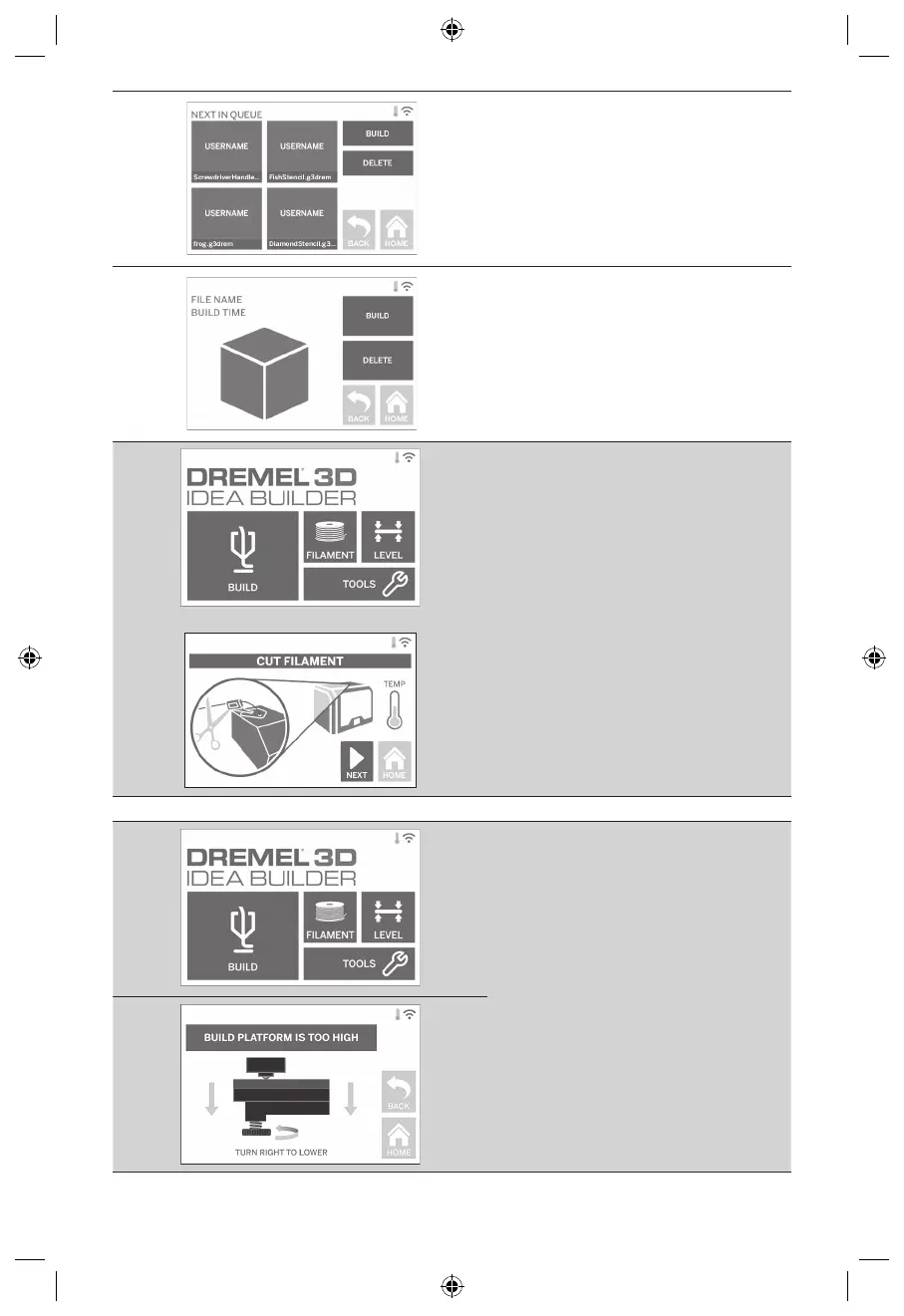
BUILD – Tap to view details of next build.
DELETE

BUILD – Tap to begin build process.
DELETE
FILAMENT


load/change process)
LEVEL

page 544 for instructions on leveling the build

TOOLS
Tap to access the following individual printer
functions and settings.
SERVICE


NETWORK

WiFi and Set Proxy.
CONNECT WIFI Tap to connect to WiFi.
DISCONNECT WIFI󰀨
SET PROXY
SET STATIC IP Tap to set Static IP.
534

Table of Contents

Other manuals for Dremel 3D40 FLEX

Related product manuals