SLICE User’s Manual support@dtsweb.com
Version 1.0 - May 2010 31 ©DTS, Inc. - All Rights Reserved
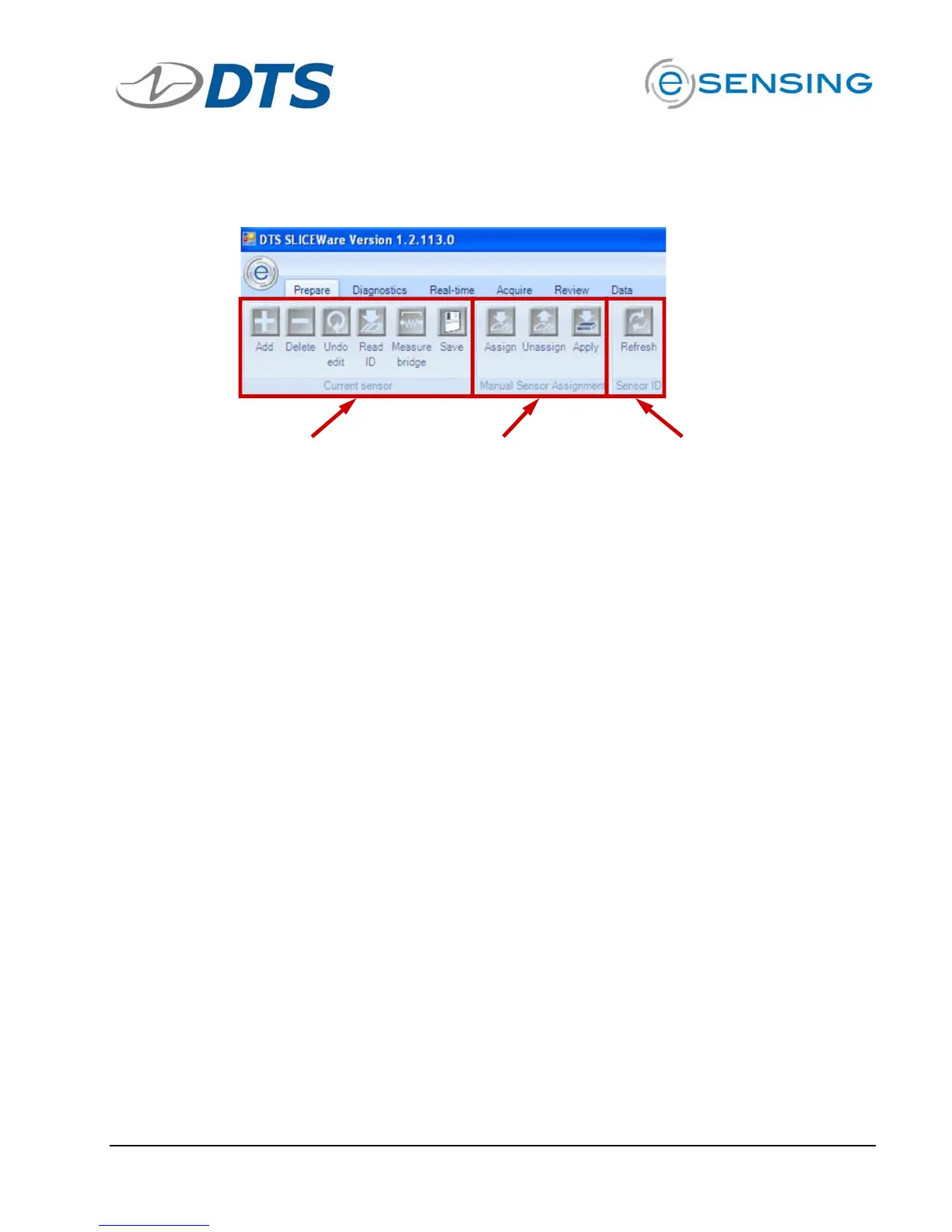
Prepare Tab Groupings
Current Sensor
Sensor ID Manual Sensor Assignment
Current Sensor
! Add: Will add a blank Sensor Details field to all for creating a new sensor
entry.
! Delete: Deletes the sensor that is highlighted in the sensor list.
! Undo Edit: Reverts all edits made in the sensor details fields.
! Read ID: Reads the EID from the channel selected in the Connected
Sensor list. The returned ID value will be populated in the Sensor ID field
for the sensor that is highlighted in the sensor list.
! Measure Bridge: Measures a sensors bridge resistance from the channel
selected in the Connected Sensor list. The returned bridge resistance will
be populated in the Bridge resistance (ohms) field for the sensor that is
highlighted in the sensor list.
! Save: Saves edits made in the Sensor Detail area.
Manual Sensor Assignment
! For sensors connectors without an EID.
! You cannot un-assign or overwrite an auto-assigned channel.
! Assign: After highlighting a sensor in the Sensor List and highlighting an
un-assigned channel in the Connected Sensors area, use this to assign the
sensor.
! Un-assign: Remove the highlighted channel in the Connected Sensors area.
! Apply: Commits the sensor set-up information to SLICE.
! Note: A sensor that is manually applied should not have a value in the
Sensor ID field and the SLICE should not have an EID installed on the
connector. If the Sensor ID field is populated or an EID exists on the
channel, the sensor will need to be re-applied after switching away from
and then back to the Prepare tab.


 To Next Page