SLICE Base Firmware Update Procedure
support@dtsweb.com 24 March 2010
+1 562 493 0158 ©Diversified Technical Systems, Inc. - All Rights Reserved
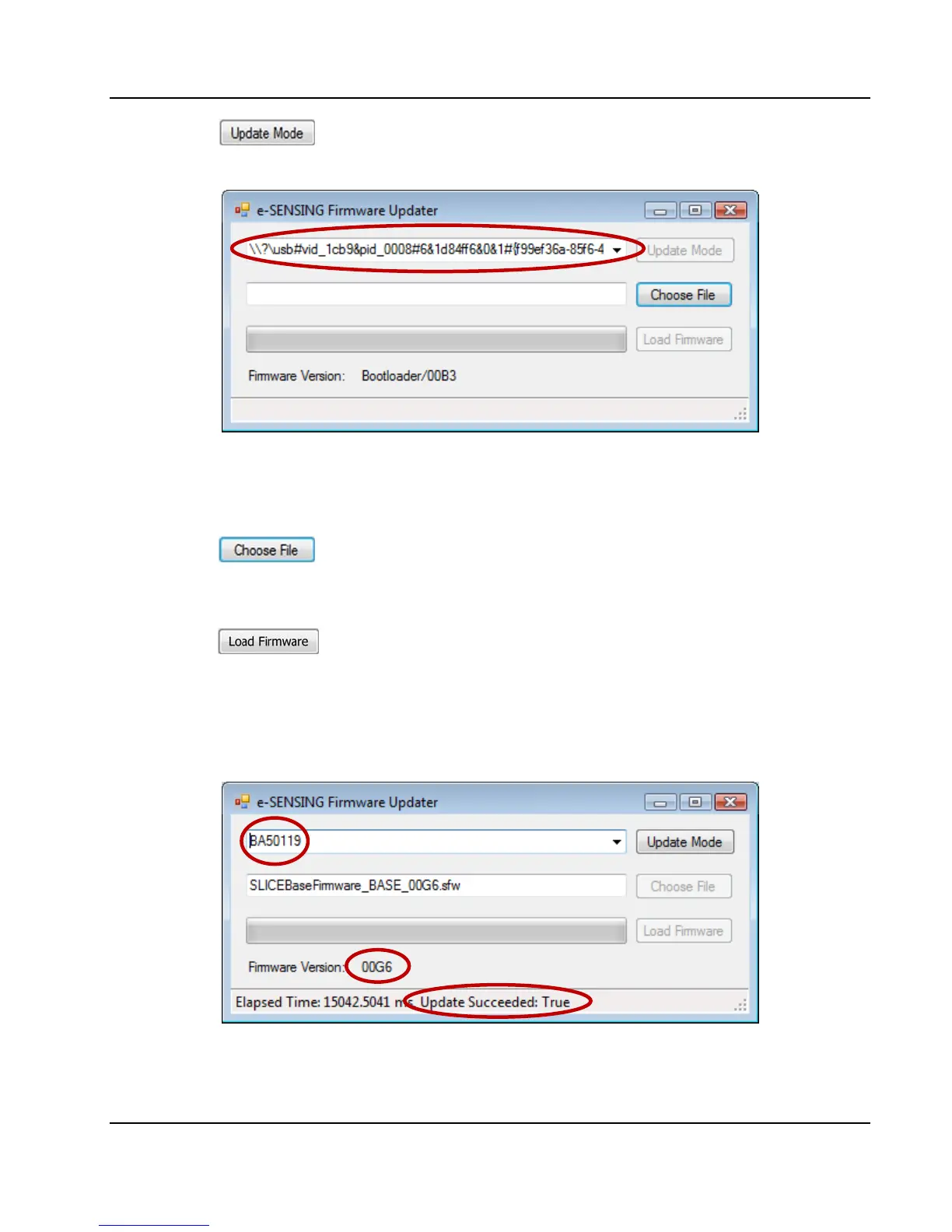
3. Press . The SLICE LEDs will flash. SLICE will disconnect, then
reconnect. The internal ID of the SLICE Base will be shown:
If this does not happen after 30 seconds, close then reopen the Firmware
Updater program.
4. Press
. Select the file (e.g., SLICEBaseFirmware_BASE_00G6.sfw)
you want to use for update.
5. Press
. The progress bar will show the progress of the firmware
update. When the update is complete, the SLICE Base will reboot.
6. After reboot, the serial number and new firmware version will be shown. The
status bar will indicate that the firmware update was successful.


 To Next Page