Connections
14
Chapter 4
Connections
Chapter 4
This section describes different connection possibilities of media player to
AV equipment.
Depending on model and design of TV or projection set, after connecting in one of the
ways described below and plugging the power supply, the player initialization may take
up to 10 sec. If after this time there is no picture (DUNE logo) on screen, it shall mean that
there are connection errors. Please check Troubleshooting section in such a case.
If after the initial screen (DUNE logo) disappears there is no other picture on screen in
10 sec. and more, this problem is usually caused by the currenly preset incorrect video
mode on the player. Please address the “Quick setting of video output” section below
in such a case.
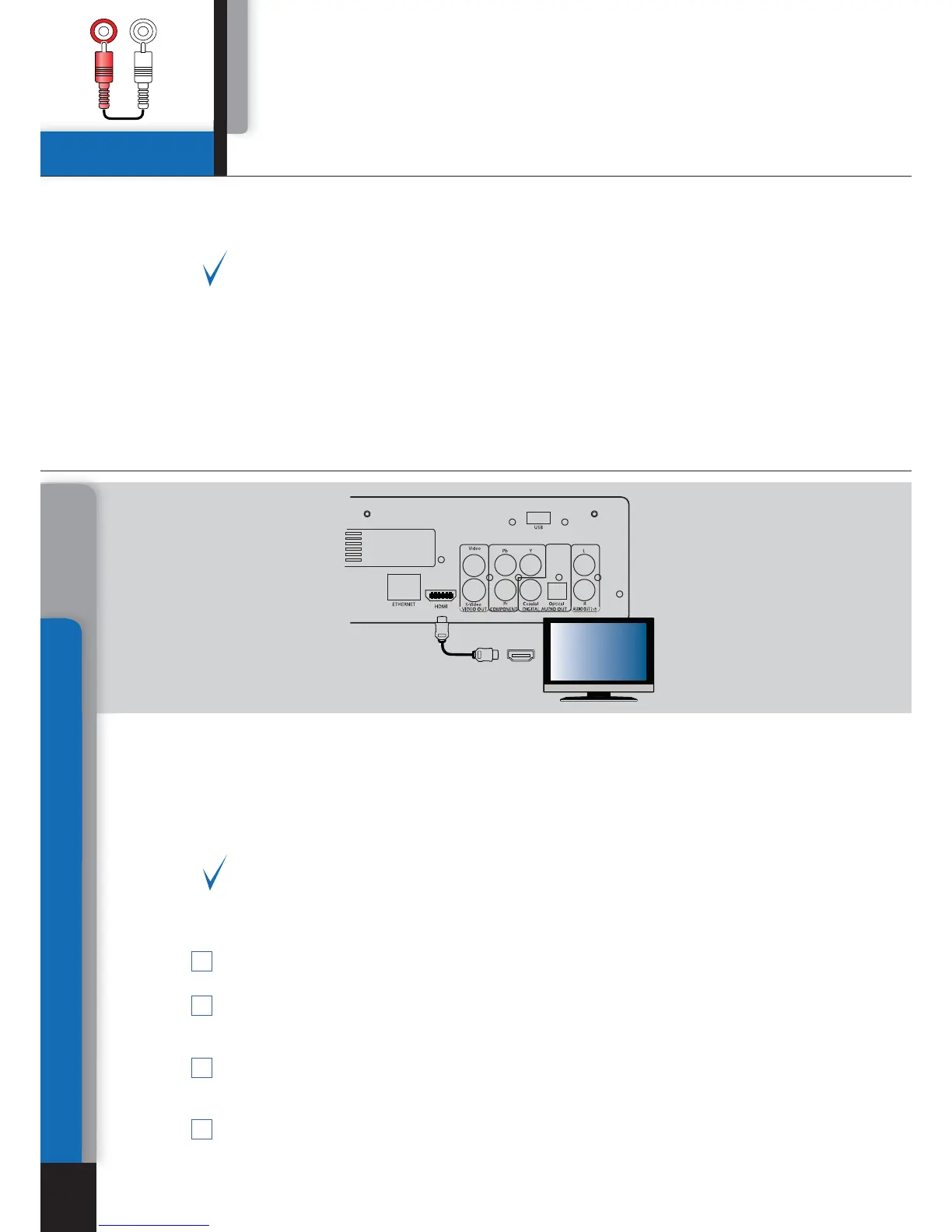
Connection to a TV set with HDMI/DVI output:
Since Dune HD Center is designed first of all for playback of high definition (HD) video
(up to 1080p), the best way of signal transmission from player to a TV set or projector
is the HDMI interface. In this case, video and audio streams are transmitted in digital
form, without losses, allowing enjoying excellent picture and sound. It is recommended
to connect the player to any compatible equipment using original DUNE HDMI cable
(option).
If your TV set has no HDMI socket, but it is equipped with DVI one, you can use an
original DUNE HDMI-DVI adapter (to be connected to HDMI-HDMI cable) or Dune
HDMI-DVI cable (no adapter needed). In this case, transmission of audio stream is
only available separately, from an analog audio or digital optical output.
Make sure that the player and the TV set are switched off. Do not switch on until the
end of connection procedure.
Connect the HDMI output of the player with appropriate HDMI/DVI input of the TV set
using a HDMI-HDMI cable for HDMI input of your TV set, or HDMI-DVI cable or HDMI-
HDMI cable with HDMI-DVI adapter, for DVI input of your TV set.
Using RC of TV or projector (depending on what you use), select required input and
display mode. For more instructions please refer to the manual of your displaying
equipment.
Wait until you see a picture on screen of your TV (or projection) set received from the
player.
1
2
3
4
HDMI IN



 To Next Page