4
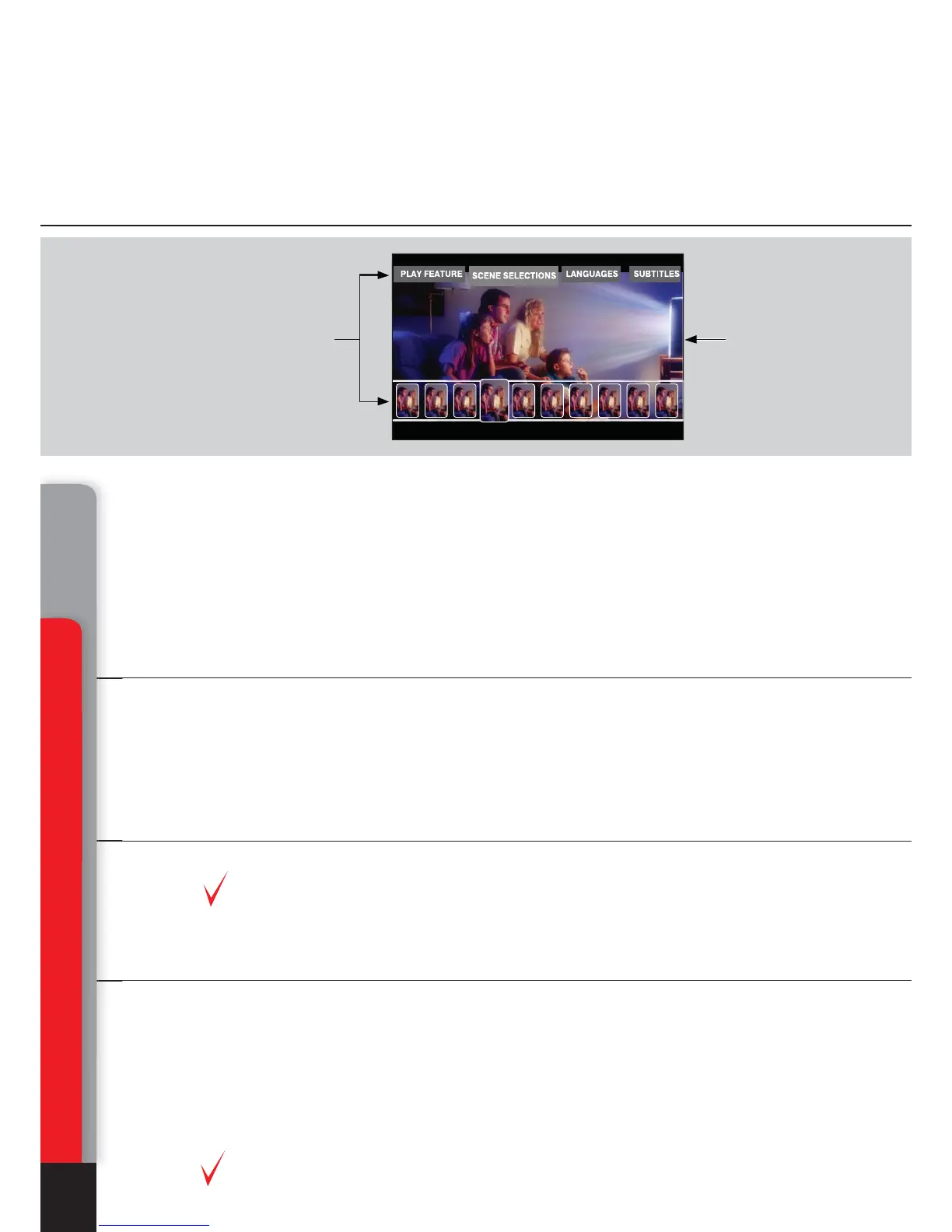
Graphics in the menu of BD-ROM disc:
Video material recorded on the majority of BD-ROM discs, contains two additional
full HD video layers. The first layer is used for graphics, such as subtitles and OSD.
The second layer is used for output of such interactive elements, as control buttons
or disc menu. Compared to the DVD standard, the menu may be displayed directly
during the playback of BD-ROM. No need to stop the playback, the menu elements
and sound effects overlay the main video picture and allow promptly correcting of
the device operation.
Subtitles:
Depending on possibility to select different subtitles displaying contained on the
Blu-ray disc, you may be able to change the style, size and color of fonts used. In
addition, some animation effects, such as fade-in and scrolling are also available.
Video formats played back with the media player
Blu-ray player:
Use of BD-ROM media and AVC, VC-1 and MPEG-2 codecs
For best picture quality when viewing Blu-Ray discs, your other attached equipment
shall support 1920x1080 or 1280x720 High-Definition TV (HDTV) format signals.
Media file player:
Use of optical BD-ROM (provided that the content is not protected), BD-R (RE),
DVD-ROM, DVD-R (RW), CD-ROM, CD-R (RW) media, or embedded HDD, or
external media, such as USB HDD and USB Flash drive. The media content may
also be played via HDD-equipped LAN of your personal PC or NAS. And from the
Internet.
Codecs used for playback of MPEG2, MPEG4, DivX, XVID, WMV9, VC1, H.264 media
files. File formats supported: MKV, MPEG-TS, MPEG-PS, M2TS, VOB, AVI, MOV,
MP4, QT, ASF, WMV, DVD-ISO, VIDEO_TS.
For best picture quality when viewing media files, your other attached equipment
shall support 1920x1080 or 1280x720 High-Definition TV (HDTV) format signals.
Interactive
elements
Video
Function description and Blu-ray disc partition contained in this manual
are common and describe potential features of Blu-ray format. The menu
configuration, functions set, as well as menu navigation are disc-dependent
and may vary.
Key features of DUNE HD Center media player
Chapter 1



 To Next Page