3
Network disks operation
41
Chapter 8
Network disks operation
Chapter 8
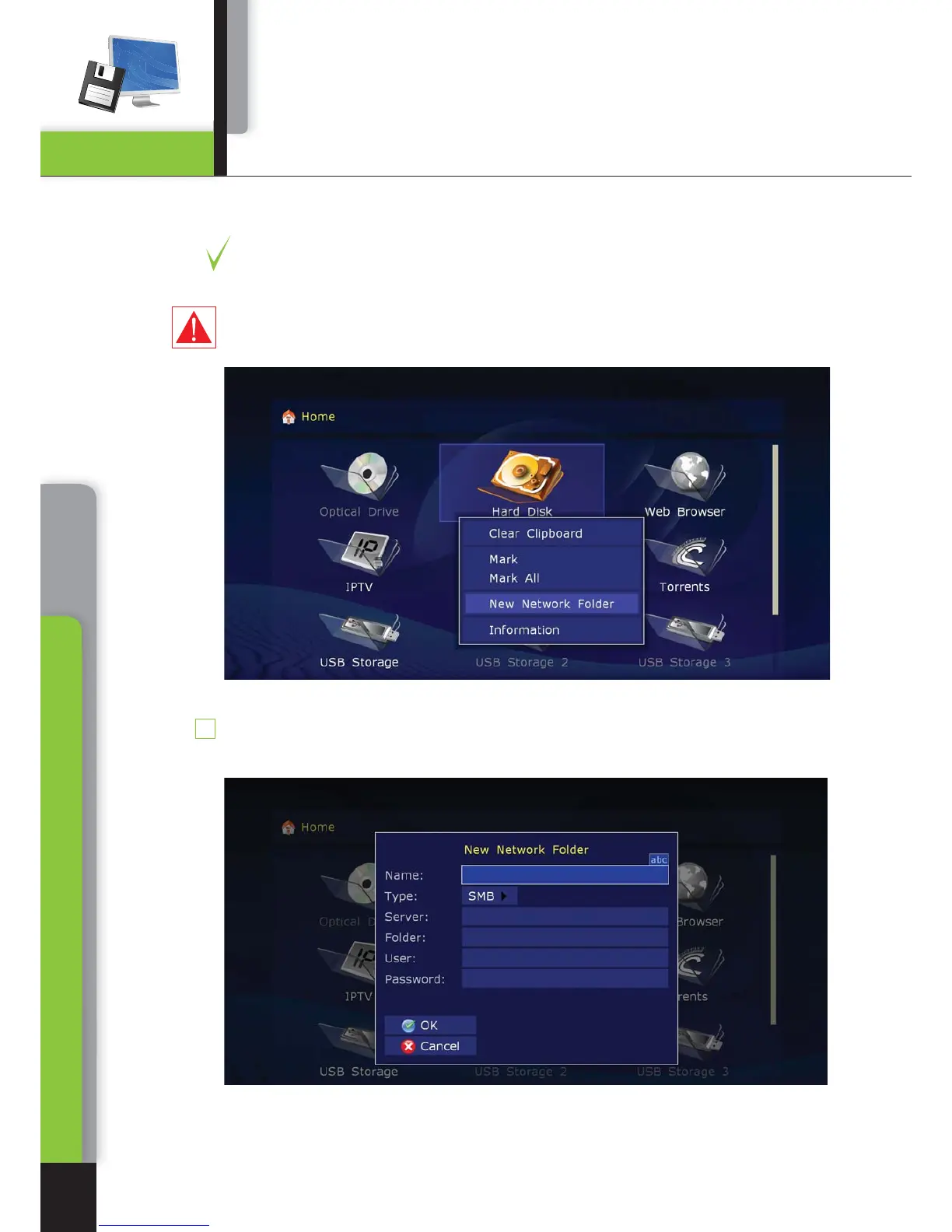
You may connect to your player network disks with SMB and NFS protocols.
ВIt is possible to connect any number of network disks. Each network disk con-
nected is displayed in root directory of the file browser (Main page) as a special
folder or an icon.
Warning: current firmware version does not support network disks, if they are only
accessible with UPnP/DLNA or HTTP/ HTML protocols, and if using of SMB or NFS
is impossible.
To create new network folder (i.e. to initialize the network disk):
Enter the root directory of the file browser on the Main page.
1



 To Next Page