3
In case of Special setting selection, following RC
buttons are enabled:
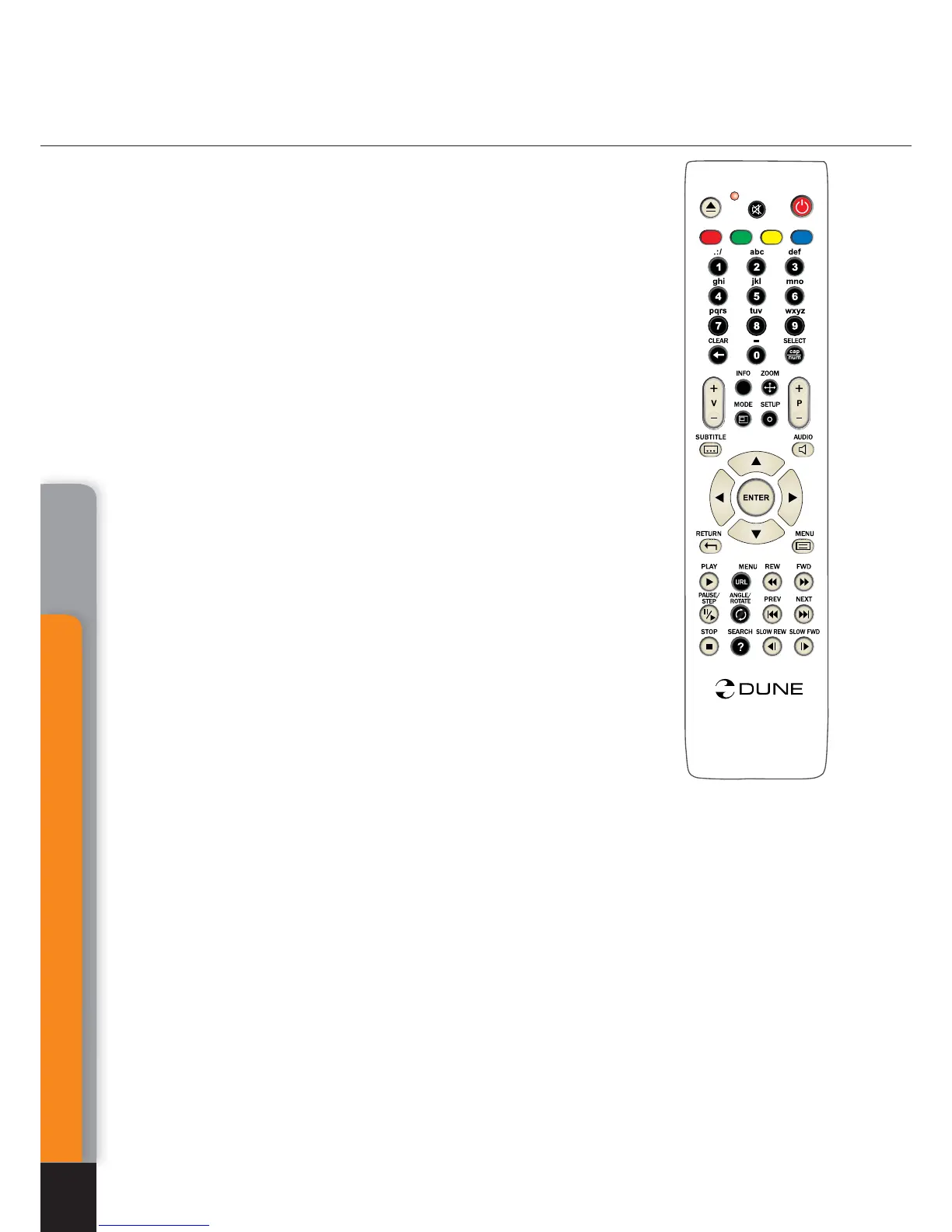
Left/Right: decrease/increase picture size (proportionate
change of frame size).
Up/Down: increase/decrease vertical stretching (propor-
tion adjustment).
Page-Up/Page-Down: increase/decrease overscan area
(equalizing of picture cropping by TV set).
To exit
ZOOM mode, press ENTER (or wait until automatic
exit from the mode after short idle time).
SETUP: display picture parameters setup menu, such as
brightness, contrast, color-saturation. For more information
please refer Picture parameters setting
PAUSE/STEP: first pressing: switch to pause mode. Sub-
sequent pressings: frame-by-frame playback (switch to the
next frame).
●
To resume normal playback, press PLAY.
FWD (>>)/REW (<<):
switch to accelerated playback for-
ward/backward, increase rate (switch between 1x, 2x, 4x, 8x,
16x, 32x modes).
●
To resume normal playback, press PLAY.
PLAY: exit pause mode (resume playback). Exit rapid/slow-
motion playback.
STOP: stop playback, return to file browser.
PREV (|<<) / NEXT (>>|): switch to previous/next section
of DVD-Video during playback.
Switch to previous/next menu item (in DVD menu display
mode).
MENU: switch to main menu of DVD-Video.
TITLE: jump to Title menu of DVD-Video (if any).
CLEAR (twice): playback of DVD-Videofrom the very begin-
ning. Click
CLEAR twice consecutively.)
.
.
.
.
.
.
AB
C
D
T
O
P
i
O
PP
U
P
/
Mediacenter
40
Chapter 7



 To Next Page