Optical
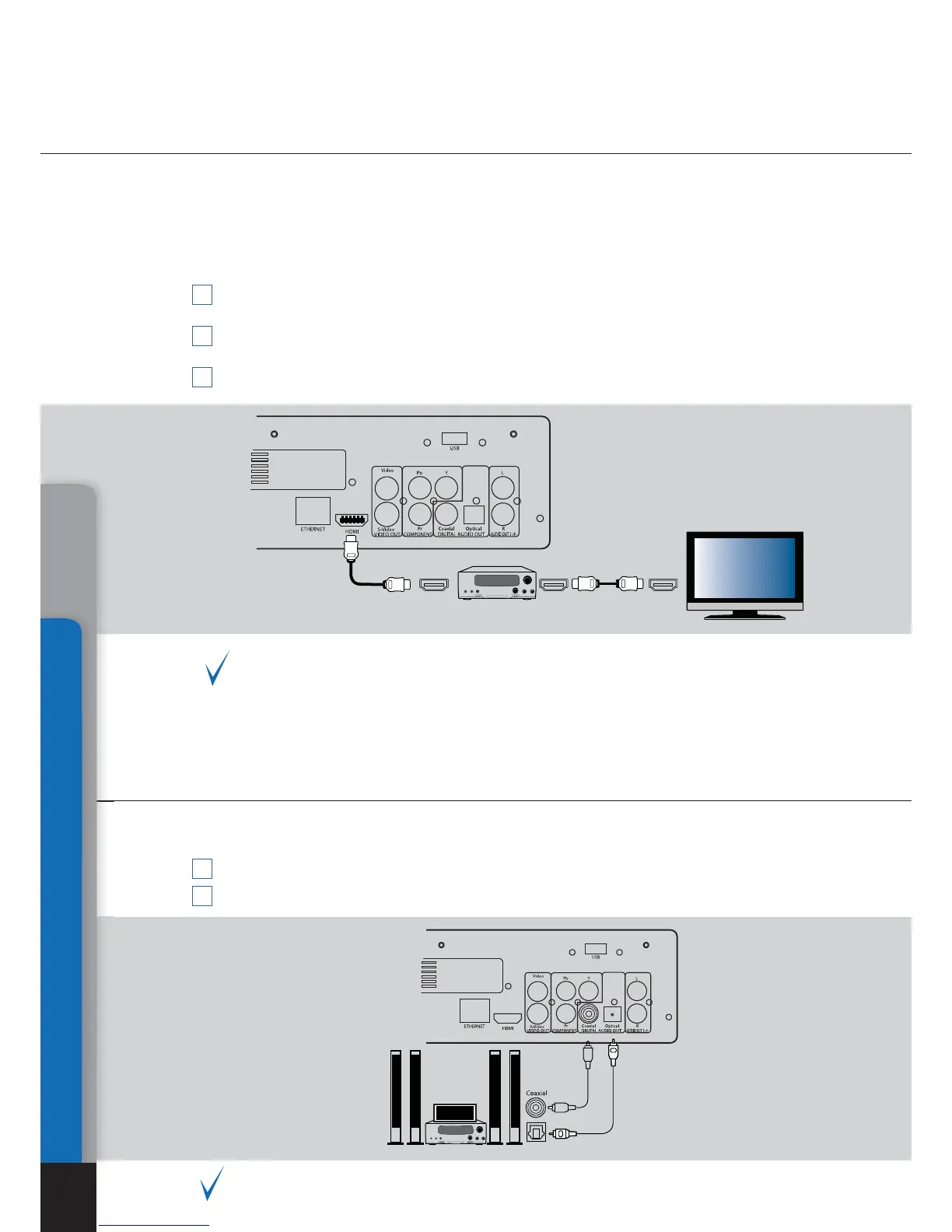
Transmission of digital audio signal to an AV
receiver with HDMI input
Transmission of digital audio signal to an AV
receiver using an optical cable
Connections
16
This media player is equipped with an up-to-date HDMI v 1.3 interface al-
lowing transmission of digital video and audio streams using a single cable.
If your AV receiver has a HDMI v1.3 input and decoders of up-to-date audio
formats, you may enjoy a HD multi-channel sound in full. For this connection
it is suggested to use an original DUNE HDMI-HDMI cable (not included, can
be ordered separately).
Make sure that the player and the AV receiver are switched off. Do not switch on until
the end of connection procedure.
Connect HDMI output of the media player with relevant HDMI input of your AV re-
ceiver using a HDMI-HDMI cable.
Using RC of the AV receiver select relevant mode (ref. to your AV receiver manual).
We recommend you to turn down the volume of your audio equipment before
connection, in order to avoid lesion of your hearing ability and eliminate risk of
damage of your audio systems.
1
1
2
2
3
An optical Toslink–Toslink or coaxial (75 Om) audio cable shall be used (not
included).
Connect digital audio output of the player with digital audio input of the AV receiver
Select relevant input and sound mode on the AV receiver.
We recommend you to turn down the volume of your audio equipment before con-
nection, in order to avoid lesion of your hearing ability and eliminate risk of dam-
age of your audio systems.
HDMI IN
Chapter 4



 To Next Page