3
Глава 1
Ключевые особенности медиаплеера DUNE HD Center
Operations with HDD
5
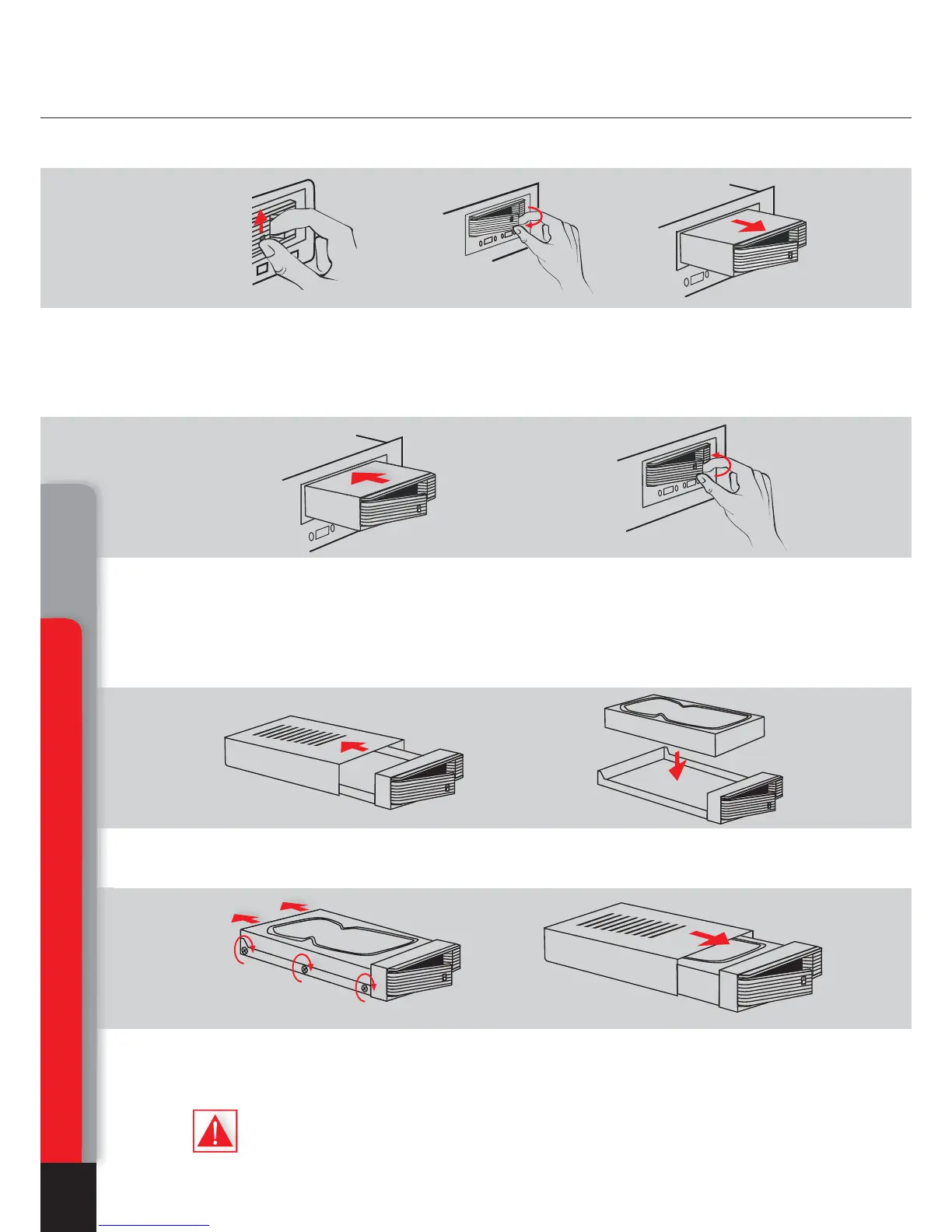
How to tаke out the HDD
How to insert the HDD
How to change the HDD in the internal container
Key features of DUNE HD Center media player
1. Shift the clamp upwards. 2. Keeping the clamp, turn the
handle outside
3. Pull out the internal container
from a player
1. Having convinced that the container
handle is slightly opened, insert the
internal container and push it inside
all the way.
2. Turn the handle inside till the
clamp clicks.
1. Shift the top cover of the internal
container in an arrows direction.
2. Insert the HDD into the internal
container.
3. Be convinced that the HDD is dense-
ly pressed to a rear side of the con-
tainer and fixed to an emphasis.
4. Close the top cover
of the internal container.
Chapter 1
Only such placing provides correct functioning of the device.



 To Next Page