Quick setting of video output
System setup
19
Chapter 5
System setup
Chapter 5
This chapter describes a list of settings of different functions of your media
player
.
Setup menu
Access to the setup menu only in file browser mode
WARNING During playback of media files and DVDs any access to the
setup menu is disabled. In order to enter the menu you need to stop
playback first
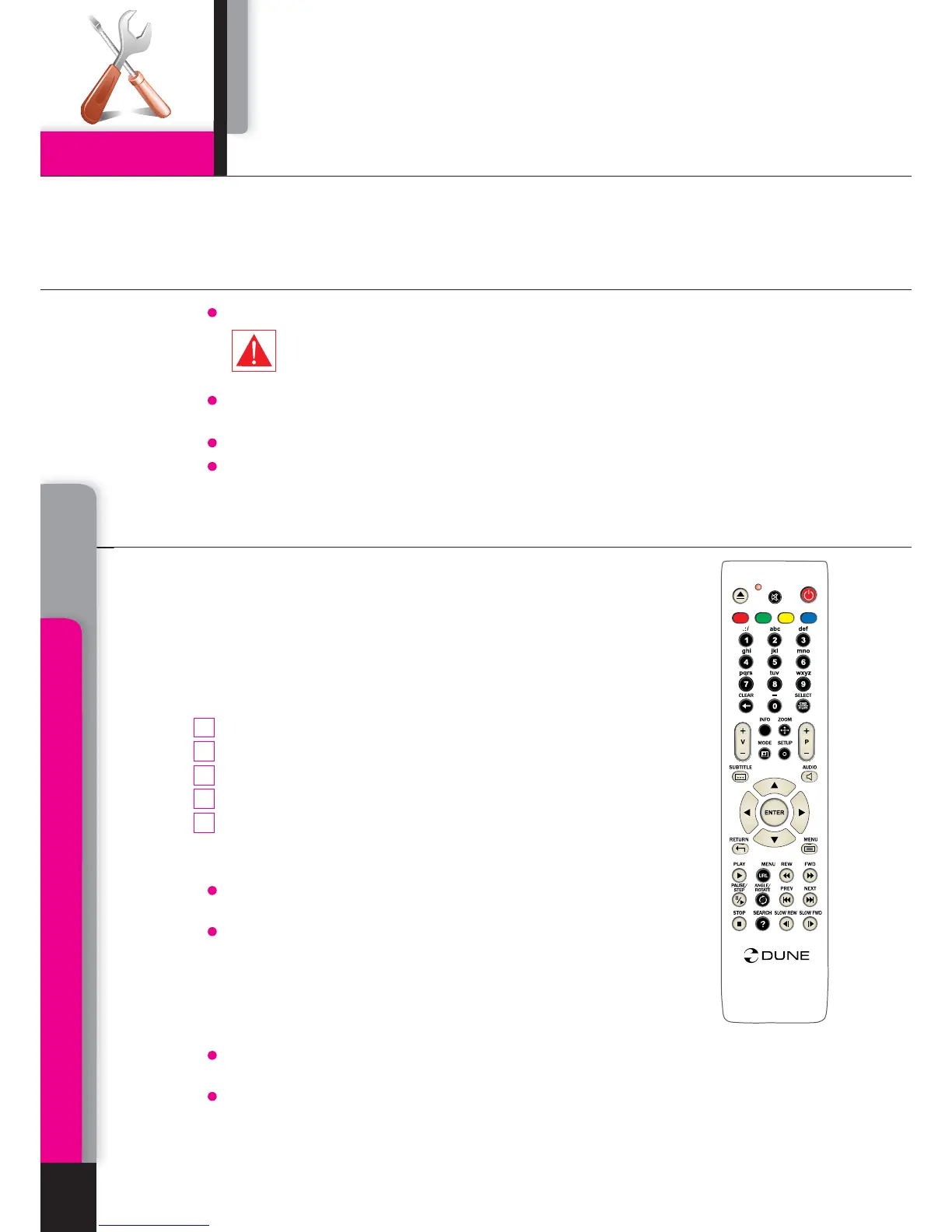
To enter the setup menu press SETUP on your RC or use Setup folder of the main
menu of the player.
To exit the setup menu, press SETUP once again or RETURN button.
To browse the setup menu use RC buttons Up, Down, RETURN/Left, ENTER/Right.
MODE button on the RC allows quick setting of video output without use
of setup menu. This type of video output configuration may be required in
case that after connection of your player to a TV or projector, you see no
picture on screen (and no setup menu displayed accordingly).
After pressing
MODE button you will enter quick setting mode of video
output. Pressing one of the digit buttons
1, 2, 3, 4, 5 right after that on
your RC, you may switch to one of the following settings of video output
respectively:
Composite/S-Video/Component,
PAL
Composite/S-Video/Component, NTSC
HDMI, 480i 60Hz
HDMI,
720p 60Hz
HDMI,
1080i 60Hz
To exit quick setting mode of video output after successful settings, press
ENTER on your RC.
After pressing the
MODE and a digit buttons please wait for up to 15 sec.
before the new video mode is settled.
The pointed five video settings are only to ensure that you can quickly
set up some usable video mode for any type of video connection you are
using, regardless the previous settings of your player.
After getting picture on screen with one of these modes, please go
into Setup menu and choose the most appropriate video output and
resolution.
During any video playback the
MODE button is deactivated. To change parameters of video
output, stop playing back by pressing
STOP button.
In case of any problems, to make sure that the playback is stopped and you are in file browser
mode, switch off and then switch on the player and wait until player booting during up to 60
sec. Ref. STANDBY mode.
.
.
.
.
.
.
AB
C
D
T
O
P
i
O
PP
U
P
/
1
2
4
3
5



 To Next Page