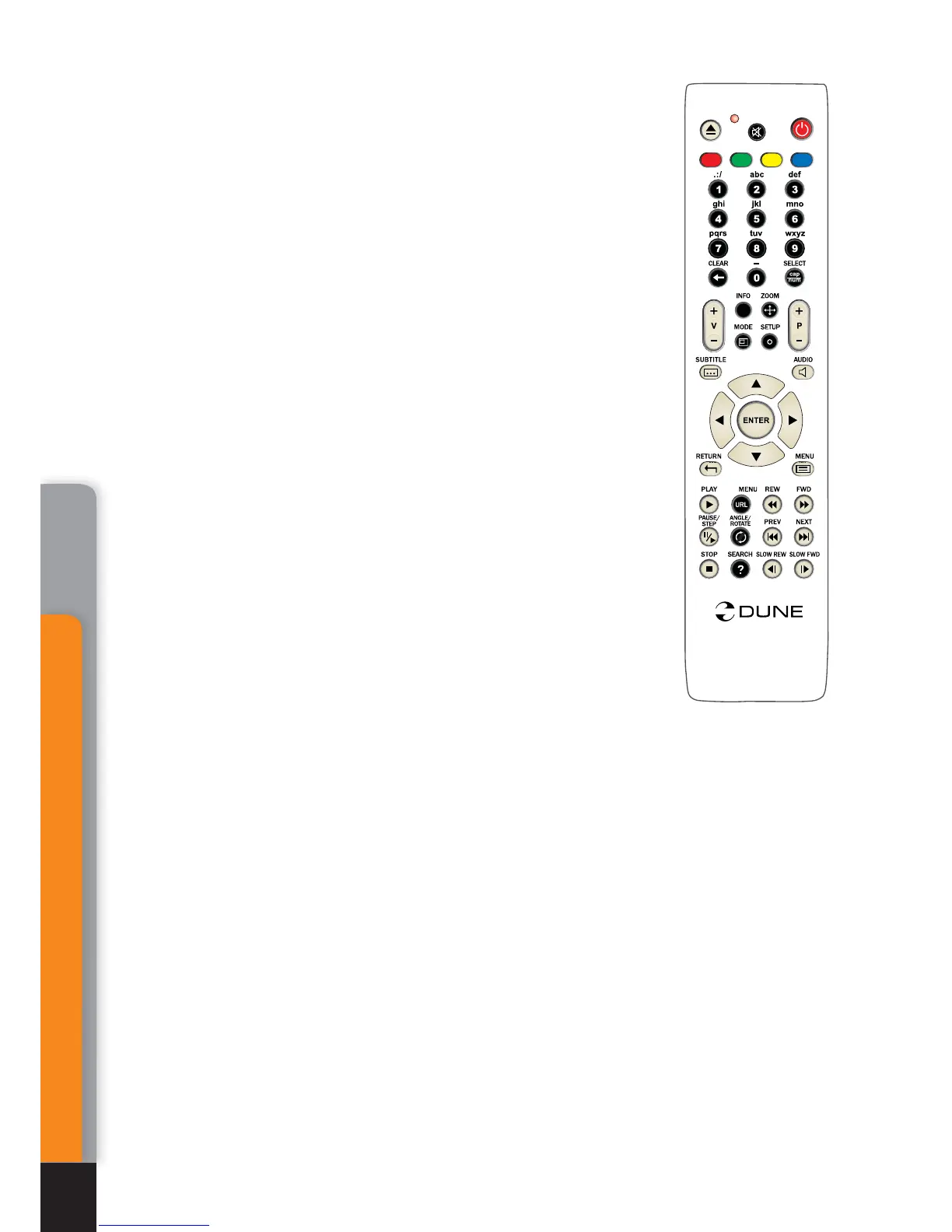
Left/Right/Up/Down
Page-Up/Page-Down.
First pressing: switch to playback
item change mode.
● Subsequent pressings: change desired playback item:
Left/Right:
backward/forward by 10 sec.
Up/Down:
backward/forward by 1 min.
Page-Up/Page-Down:
backward/forward by 10 min.
● To exit the item selection mode and switch over to selected
item, press
ENTER
button (or wait until automatic switch to se-
lected item after a short idle time).
0, 1, 2, 3, 4, 5, 6, 7, 8, 9:
switch to playback item:
0%, 10%, 20%, 30%, 40%, 50%, 60%, 70%, 80%, 90%
(from playback start).
INFO:
display/hide information on the current file:
File name. Container type. Format (codec type). Rethsolution
of video stream in the file. Maximum bitrate (statistics of the
current session of file playback). Average bitrate (statistics of
the current session of file playback). Current bitrate (playback
statistics). Duration.
AUDIO:
First pressing: display information on current sound
track.
● Subsequent pressings: switch to the next sound track.
SUBTITLE:
First pressing – display information on current
subtitles.
● Subsequent pressings: switch to the next subtitles.
Volume-Up/Volume-Down:
First pressing: display informa-
tion on current volume level.
● Subsequent pressings: increase/decrease volume level.
MUTE:
turn the sound off/on.
ZOOM:
First pressing: switch to picture zoom mode, display information on current
zoom setting.
● Subsequent pressings: switch to subsequent picture zoom.
● In case of Special setting selection, following RC buttons are enabled:
Left/Right:
zoom in/out (proportionate picture stretching).
Up/Down:
increase/decrease vertical stretching (proportions adjusting).
Page-Up/Page-Down:
increase/decrease overscan area (to equalize picture crop-
ping by TV set).
● To exit ZOOM setting mode, press
ENTER
and wait until automatic exit from the mode
after short idle time.
SETUP:
display picture parameters setup menu (brightness, contrast, saturation,
chromatic level).
.
.
.
.
.
.
AB
C
D
T
O
P
i
O
PP
U
P
/
Mediacenter
36
Chapter 7



 To Next Page