15
1
Before Using This Machine
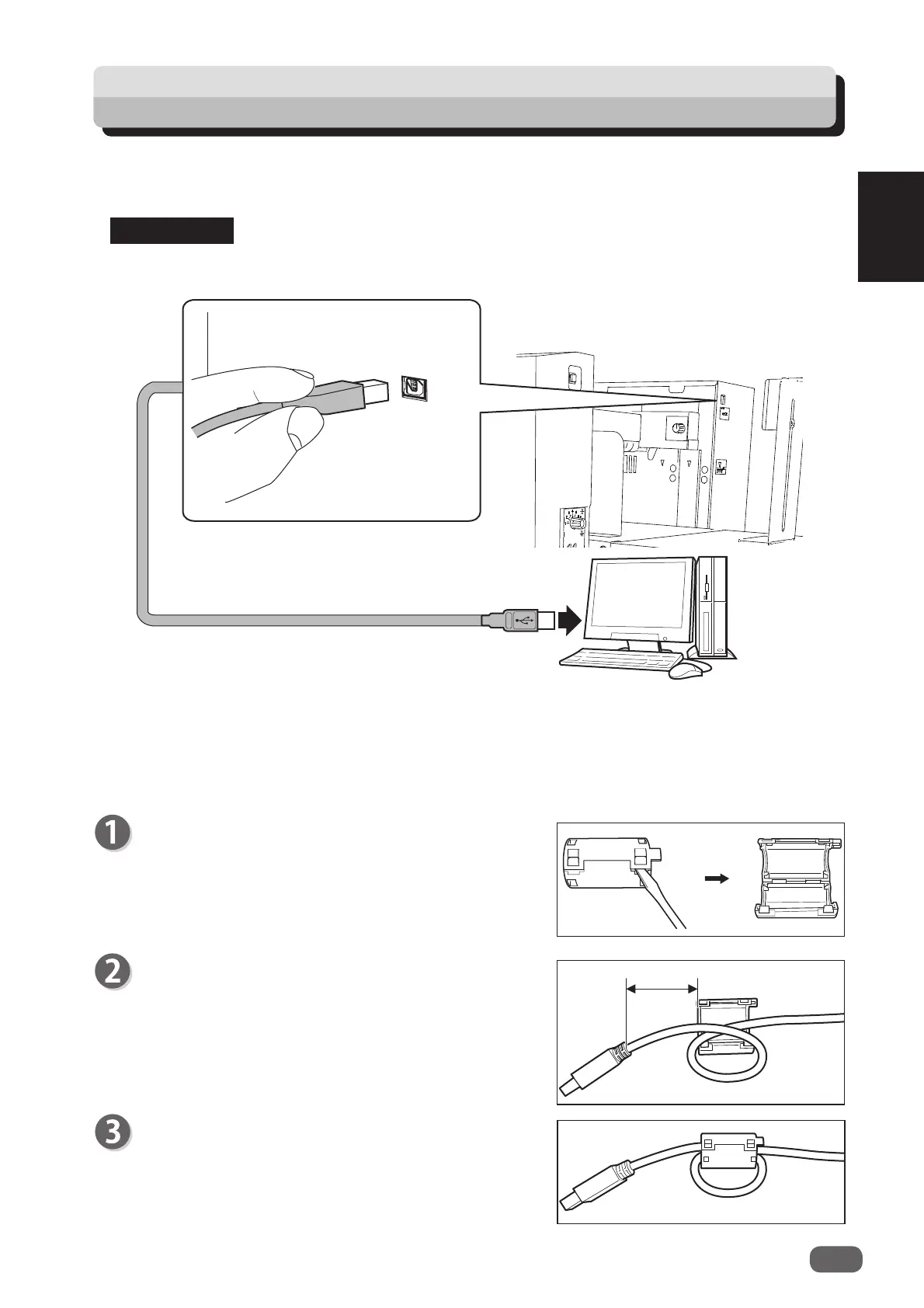
How to Connect the DC-618 to Your Computer
Do not connect the DC-618 to your computer until the driver of the
PC Controller
is
installed.
REFERENCE
Computer
USB 2.0 Cable
5~10cm
Release the lock of the ferrite core with a fl at-head
screwdriver.
Attach the ferrite core to the USB cable at a location
of 5 to 10 cm (2 to 4 inches) from the base of the plug
that connects to the DC-618 as shown in the fi gure.
Close the ferrite core so that it securely locks.
Attach the ferrite core that came with the USB cable as follows:
Attaching the ferrite core
Prepare an USB 2.0 Cable (type A/B). Plug the USB terminals into the USB port of the DC-618
and the USB port on your computer.
USB cable must be within 3 m long.
●



 To Next Page