58
P
rocessing Documents by Retrieving a Saved JOB
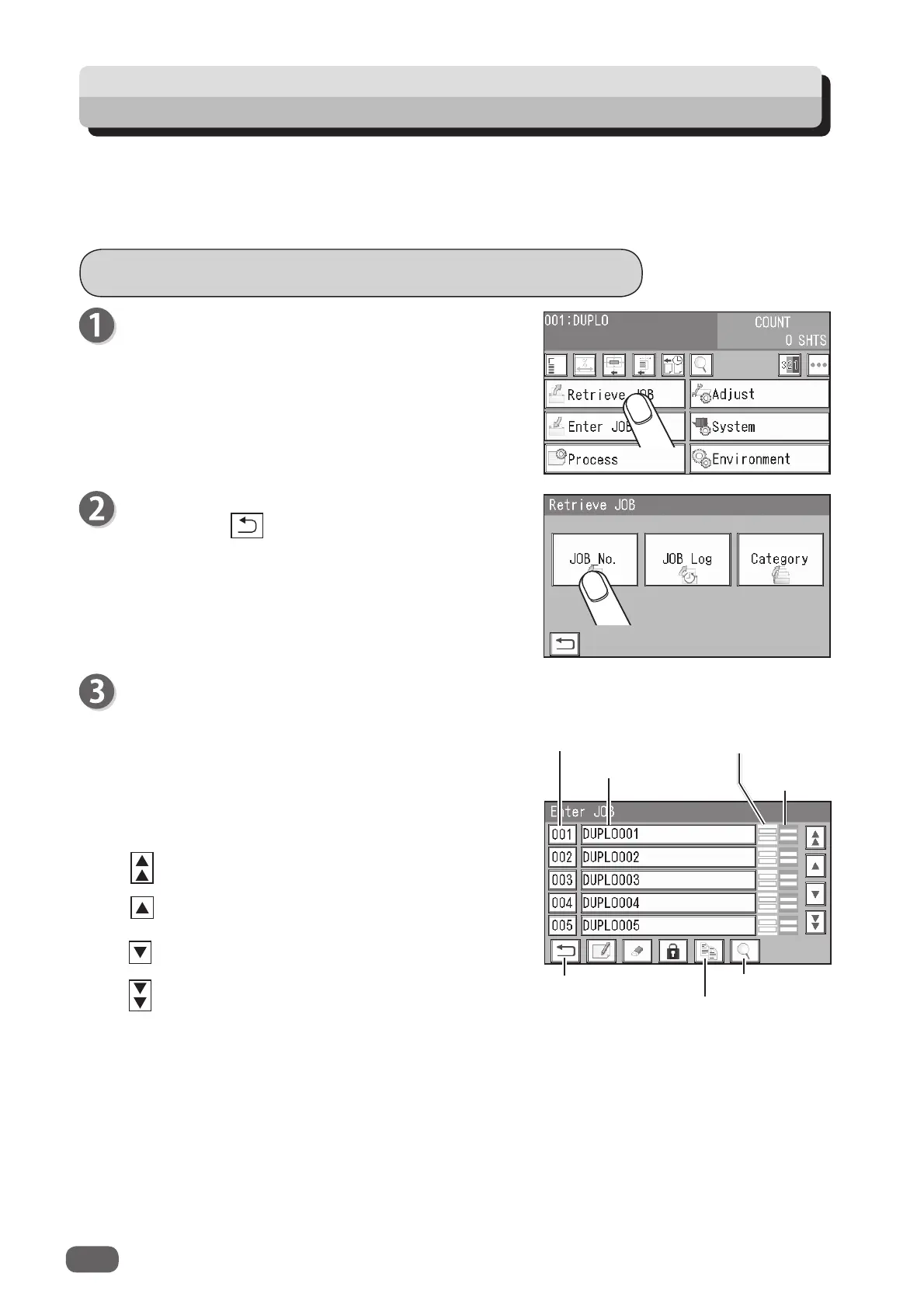
Retrieving a Saved JOB by JOB No.
You can also retrieve a JOB by entering the JOB
number with the NUMERIC keys.
Touch
JOB No.
Touching the
return
icon returns to the
standby
screen.
You can retrieve a JOB from
JOB No.
,
JOB Log
, or
Category
.
JOB No.
: JOB numbers are displayed in an ascending order.
JOB Log
: The numbers of the last 10 JOBs are displayed in a reverse chronological order.
Category
: JOB categories programmed are displayed. You can retrieve a JOB from here.
Make sure that the
standby
screen is displayed on
the
touch panel
, and then touch
Retrieve JOB
.
Module
in slot 3
Return
JOB number
JOB name
Retrieve JOB
Details
Module
in slot 2
JOBs of No. 1 to 5 are displayed on the
Retrieve
JOB (No.)
screen.
Select a JOB number.
Touching a
JOB name
and then the
retrieve JOB
icon selects the JOB, and the
standby
screen
appears.
One touch on a
JOB number
selects the JOB and
returns to the
standby
screen.
: JOBs of the 50th to the 55th behind are displayed.
: JOBs of the 5th to the 10th behind are displayed.
: JOBs of the 5th to the 10th ahead are displayed.
: JOBs of the 50 to the 55th ahead are displayed.



 To Next Page